## 1.
**[Preview and Design](#preview)**
## 2.
[**How to create**](#creation)
## 3.
[**How to translate**](/site-configuration/edit-translations "Edit translations")
---
## Preview
## Information architecture
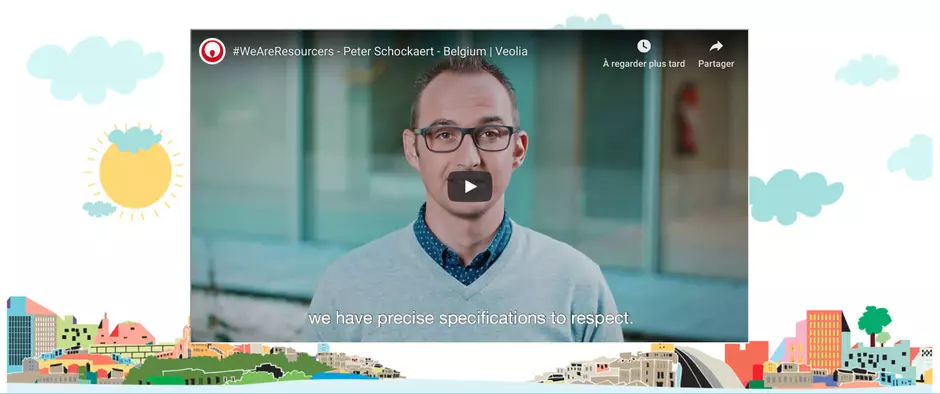
This component is dedicated to bring additional level of layout for pages by adding the ability of using an image as a background behind usual components.
## Design
Container is designed in two parts. First for background setting, then Second with usual components choice and setting.
## Typical usage and example
To be used for: any page where enhanced graphic layout is needed. Resourcer stories for example
See an example on
---
## How to create it
| Field | Description |
|---|---|
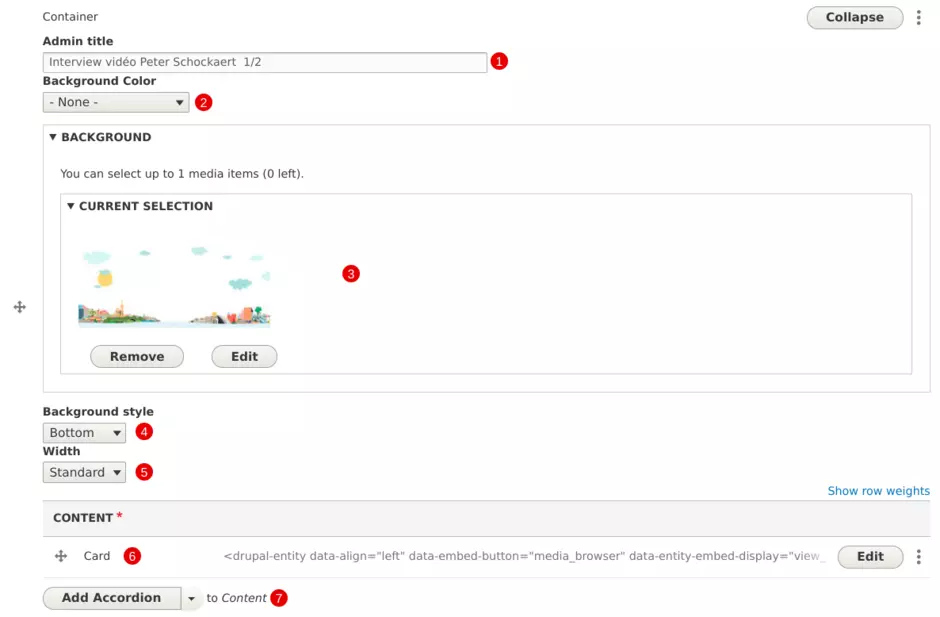
| 1 - Admin title | Used only in the backoffice |
| 2 - Background color | Color behind background image: **white** or **grey** |
| 3 - Background image | Add image file |
| 4 - Background style | Choose alignment for background image (**top**, **center**, **bottom**) |
| 5 - Width | Choose spanning for background image (**standard** or **narrow**) |
| 6 - Content | Component available in the foreground |
| 6 - Add component | If needed, additonal components can be displayed choice is restricted to **Accordion**, **Content with aside**, **Card**, **Grid**, **Quote**, **Text** and **Tabs** |