## 1.
**[Preview and Design](#preview)**
## 2.
[**How to create**](#creation)
## 3.
[**How to translate**](/site-configuration/edit-translations "Edit translations")
---
## Preview
Chart with a single series of data.
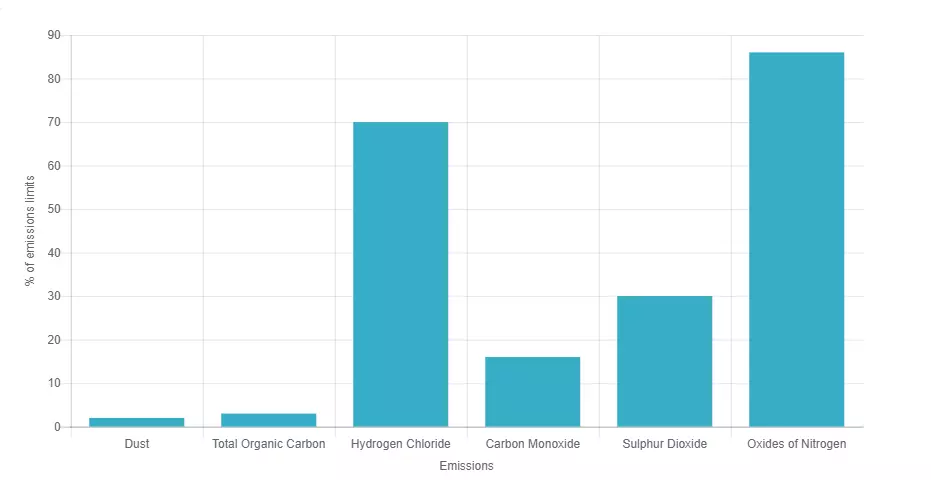
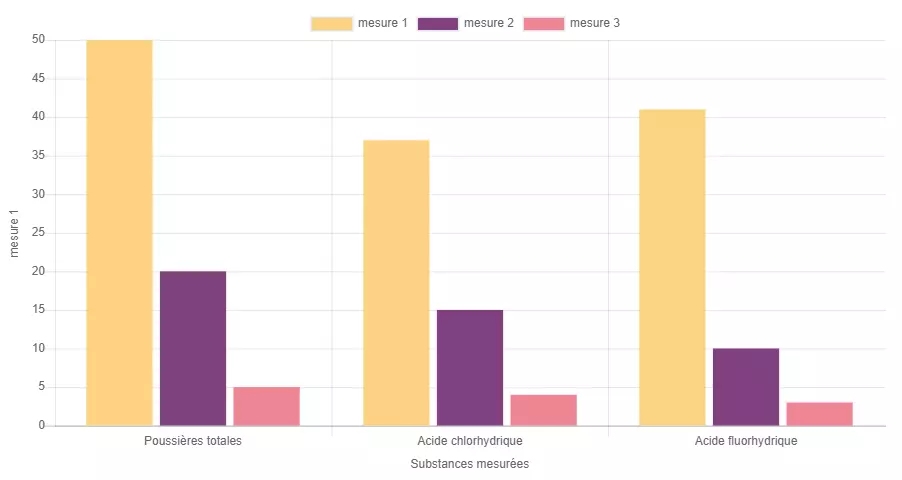
Chart with multiple series of data
##
## Information architecture
Chart is a media that allows user to see an interactive columns chart in an [accordion ](/components/accordion-component "Accordion component") or text.
##
##
## Design
Chart media component can use any of the Veolia colors.
##
##
## Typical usage and example
To be used for: Average Daily Emissions, other statistics.
See an example on
---
## How to create it
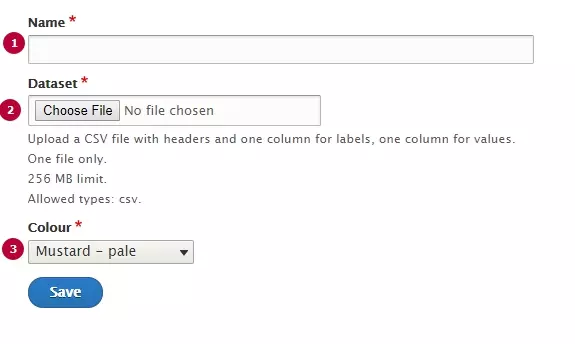
| Field | Description |
|---|---|
| 1 - Name | Used only in the backoffice |
| 2 - Dataset | CSV file with chart's data. See format canvas below |
| 3 - Colour | Chose a color for all Chart's columns |
Rows and columns can be managed by Dataset file, file format is CSV.
Specific canvas has to be used. Download the one corresponding to your need and use as a source.
[ZIP
CSV template for chart with single data series (355 bytes)
](/sites/g/files/dvc2391/files/document/2019/08/Battlefield%20emissions%20to%20air%20data%20-%20May%202018.zip)
[ZIP
CSV template for chart with multiple data series (333 bytes)
](/sites/g/files/dvc2391/files/document/2019/09/template_multiple_series_with_ordinate2.zip)
Note: in case of multiple data series, on the first row of CSV the first cell is used to name the abscissa and the last cell is used to name the ordinate.