## 1.
**[Preview and Design](#preview)**
## 2.
[**How to create**](#creation)
## 3.
[**How to translate**](/site-configuration/edit-translations "Edit translations")
## Warning
Only videos from Youtube and Vimeo are granted on the platform
---
## Preview
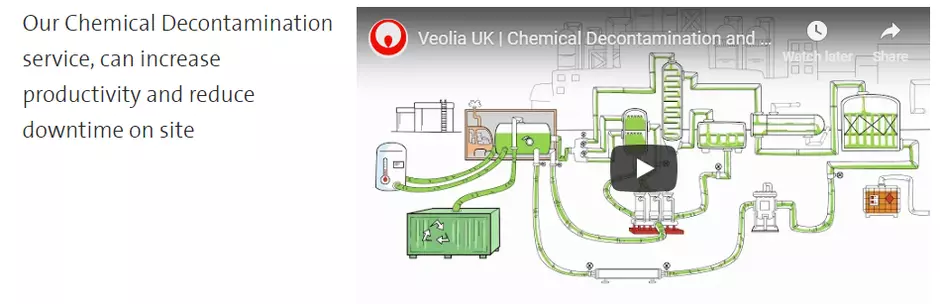
An video embedded right in a text.
## Information architecture
Allows to display videos from Youtube of Vimeo. Video is paused by default and shows the thumbnail from the embedded player.
## Design
Video media has alignment and width option when embedded to a text paragraph.
Only URL address of a video is required for the media. No need to upload a video file.
## Typical usage and example
To be used for: Embedded videos from Youtube and Vimeos sites.
See an examples:
---
##
## Warning
For Grid and Content with Aside cases: due to the specific Youtube and Vimeo layout constraints, video component can be used only with Grid of ONE and TWO columns layouts and can't be used within Aside column.
## How to create it
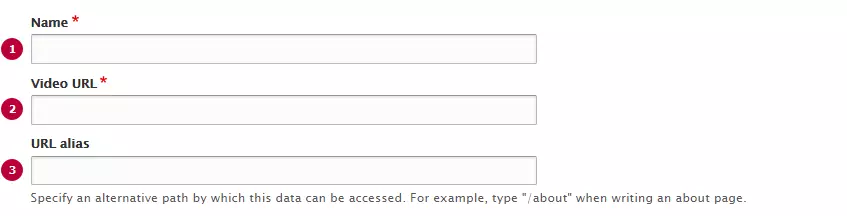
| Field | Description |
|---|---|
| 1 - Name | Used only in the backoffice |
| 2 - Video URL | Link to the video hosted by YouTube, Vimeo or other providers |
| 3 - URL alias | An alternative path by which this video can be accessed |
**Warning**
Use complete URL (including https://) in video URL field.
Otherwise it won't be identified as proper.
## The same is for creating QQ / Tencent videos:
####
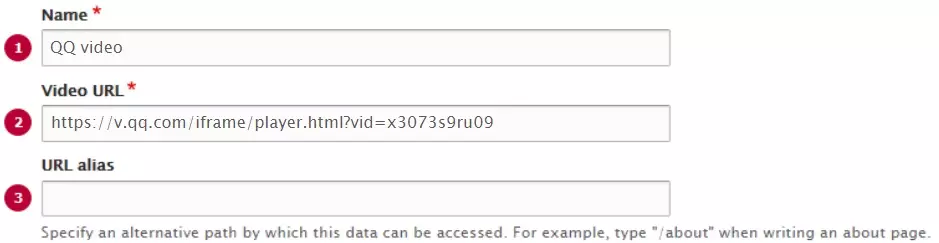
**Important:** User may face with situations when Browser does not support QQ / Tencent video:
1\. Adobe Flash player can be blocked
2\. Adobe Flash player can be disabled
Please visit [this page](/have-problem-when-creating-tencent-or-qq-videos "Have a problem when creating Tencent or QQ videos ?") if your browser does not support QQ / Tencent videos.