## 1.
**[Preview and Design](#preview)**
## 2.
[**How to create**](#creation)
## 3.
[**How to translate**](/site-configuration/edit-translations "Edit translations")
---
## Preview
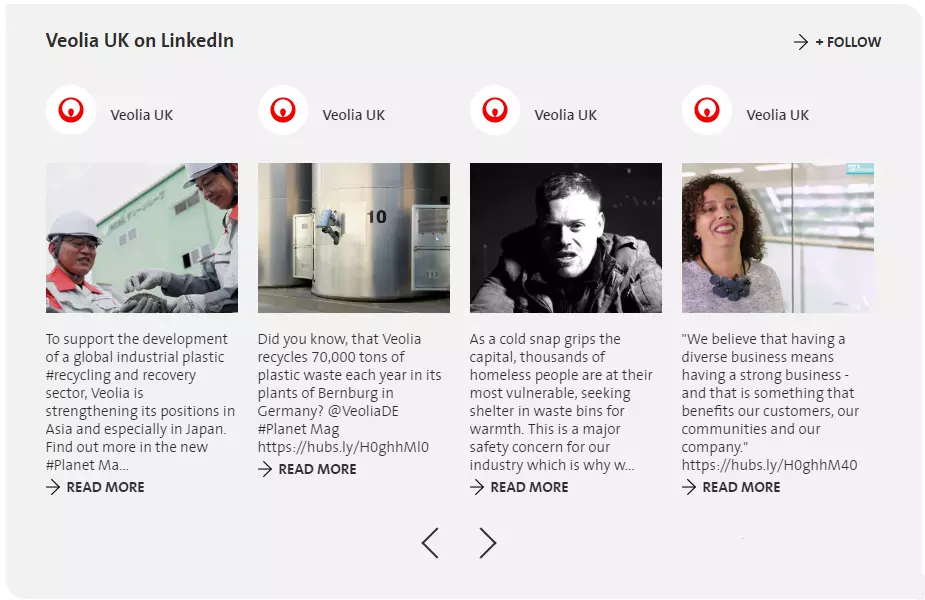
Linkedin feed preview with 4 posts per a page
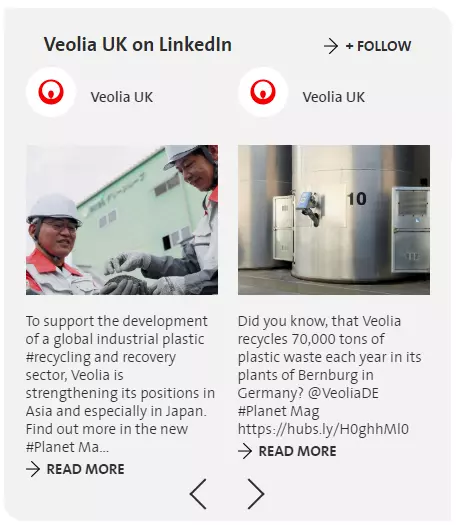
Linkedin feed preview with 2 posts per a page
## Information architecture
LinkedIn feed can be added to a [**Socila Media** ](/medias/social-media-component "Social media component")paragraph
Displays posts from set linkedin accounts, ordered by date DESC
**!!! After media is added, New access token should be requested. Token is temporary, and should be re-genarated in 60days.**
## Design
Displays 4 posts per page when added to 1-column Grid
Displays 2 posts per page when added to 2-column Grid
Requires LinkedIn Client ID and Client Secret
Several sources can be set for LinkedIn Social media
---
## How to create it
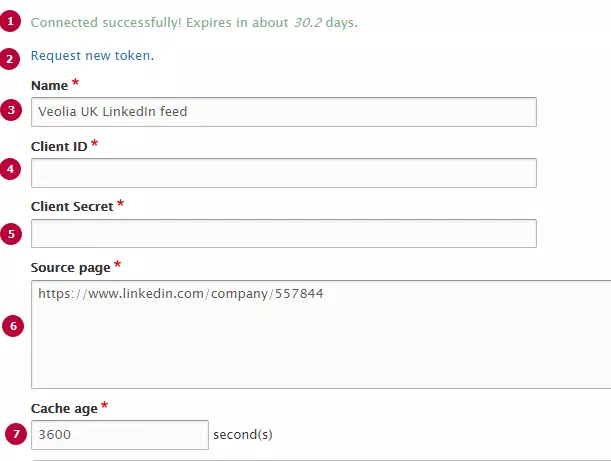
| Field | Description |
|---|---|
| 1 - Connection message | Displays only if Access Token is generated succesfully. Displays information about token's expiration |
| 2 - Request new token | After Linkedin feed is set, New token should be requested. Should be updated in 60 days after generation **!You should be authorized as linkeding company's owner to generate valid token** |
| 3 - Name | Used only in the backoffice |
| 4 - Client ID | LinkedIn Application Client ID. Should be created with LinkedIn (see detailed instructions below) |
| 5 - Client Secret | LinkedIn Application Client Secret. Should be created with LinkedIn (see detailed instructions below) |
| 6 - Source page | Links to source Linkedin Company's page Only one source can be set per media |
| 7 - Cache age | Timeout between posts updating. Set in seconds, default value is 3600s(1 hour) |
[DOCX
How to create social networks application (977.61 KB)
](/sites/g/files/dvc2391/files/document/2019/02/How%20to%20create%20social%20networks%20application.docx)