

Managing effective taxonomies
Taxonomies gather lots of information associated with wide range of contents. To be managed properly, they have to be created after contents are identified and produced.
Follow these two sequences to build and manage taxonomies the best way:
Creating a taxonomy:
1. produce all contents needed
2. identify similarities and chose namings for them
3. stucture similarities in groups and then structure groups
Building a taxonomy in Drupal:
Once taxonomy has been created
1. create first row groups items with names already chosen
2. create second row items (and groups) and build structure progressively
Taxonomies dashboard
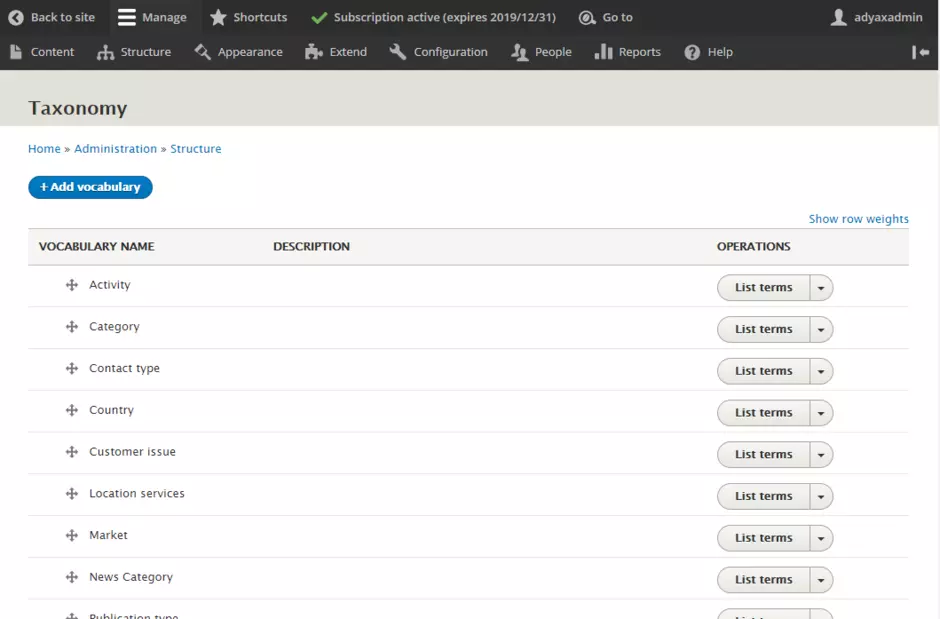
Taxonomies are used to manage filters items on the listing pages.
Remember that filters only show terms that are used by content of the listing, meaning that as long as no content is associated with a taxonomy term, it will not appear in front-end filters.
Example:
Taxonomy Activity is used for the Activity filter on the landing page of Solutions template.
By default available terms are: Water, Waste management, Energy and Mixed. But if existing solution nodes only use 'Water' and 'Energy' terms, then the filter in front-end will only show these two options.
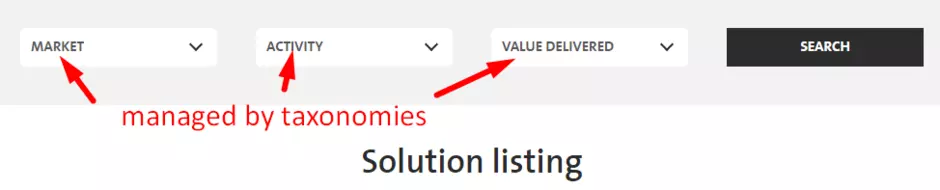
The terms are specific for each site. A 'site manager' user is free to add/edit/delete terms for the taxonomies existing in his site.
Creating a taxonomy term
- Go to Structure > Taxonomy
- Chose the taxonomy where you want to add a term and click List terms
- Click button Add term, then fill out the appropriate fields
Name: term used both in back office for association and in front office for display in filters and navigation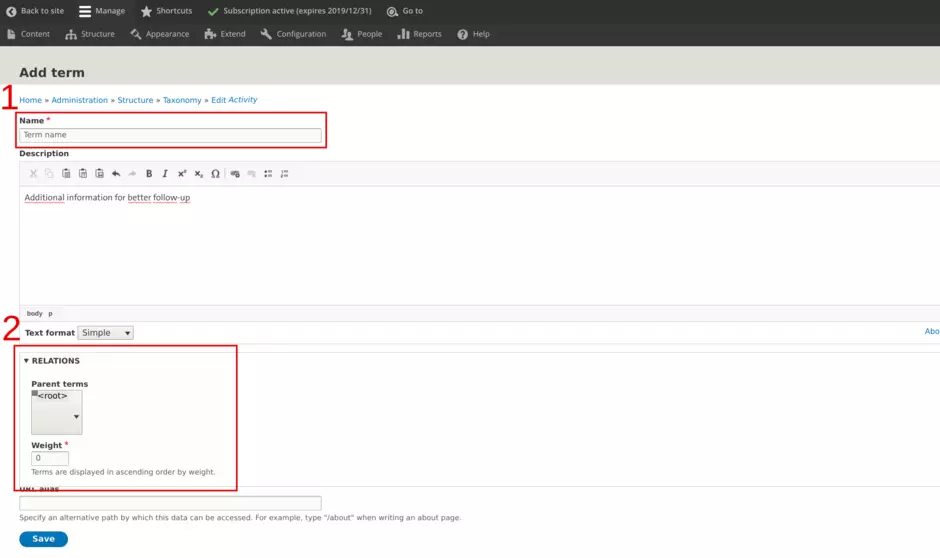
Relations: here is done building of structure in the taxonomy. Please refer to the dedicated zone below. - Click Save.
Structuring taxonomy
As taxonomy is about classifying things into groups within a larger system according to their similarities and differences, Drupal brings capacity to structure taxonomy terms.
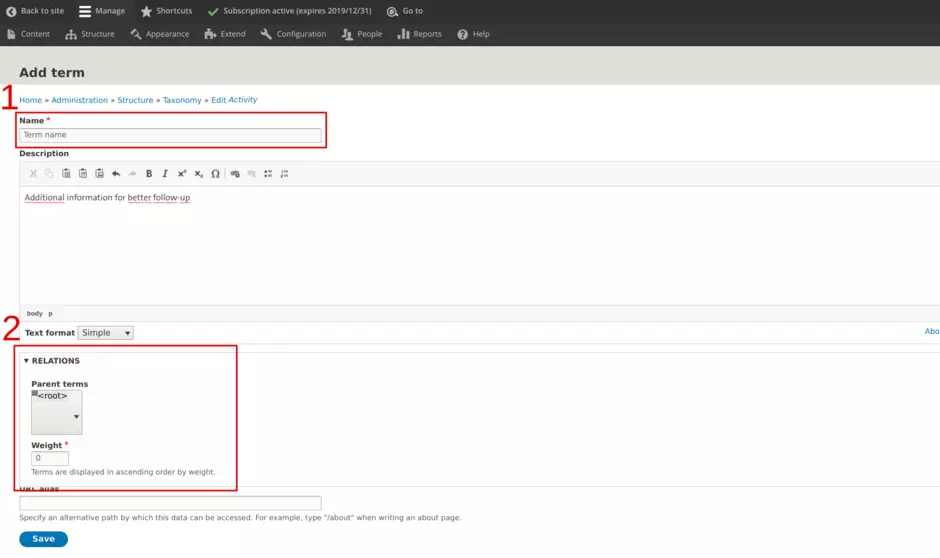
Structuring of terms is done with two dimensions:
1. hierachy position
2. order position
CROPPING ISSUE START
CROPPING ISSUE END
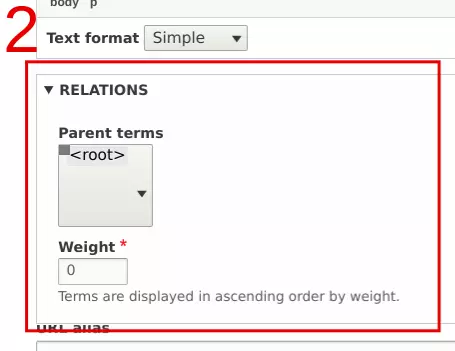
1. Hierarchy position
For a term, building hierachy is about chosing the parent term it is associated with.
It can be done selecting the appropriate term within the parent terms scrollable menu.
<root> if the reference level
Warning
Only 'Market' taxonomy is allowed to enable more than 1 row of terms
2. Order position
Among a range of terms, Drupal uses a logic of weight to build an order of appearance. Weight is a number positive or negative. The lower the number is the higher level of prority the term will receive, the higher the number is the lower level of priority the term will receive.
Example:
| List of terms | |||||
| Name | item1 | item2 | item3 | item4 | item5 |
| Weight | -43 | 10 | 95 | -44 | -20 |
| Front-end order display | |||||
| Order | 1st | 2nd | 3rd | 4th | 5th |
| Item | item4 | item1 | item5 | item2 | item3 |
Hint!
Taxonomies are systems not to be updated daily. In order to manage them right and fast, use only multiples of 10 and use 0 for the weight of the item in the middle of the group.
With this, you will be able to add up to 9 new items between each one already existing without starting over all weights again.
Example:
| item1 | item2 | item3 | item4 | item5 |
| -20 | -10 | 0 | 10 | 20 |