This procedure will guide you through implementing HubSpot to efficiently build clear, user-friendly webforms that help you capture valuable leads and contact information.
⚠️ Hubspot is not a tool provided with Drupal8. Having a licence for it, is a request to be addressed to your local DSI team.
Step 1 | In Hubspot
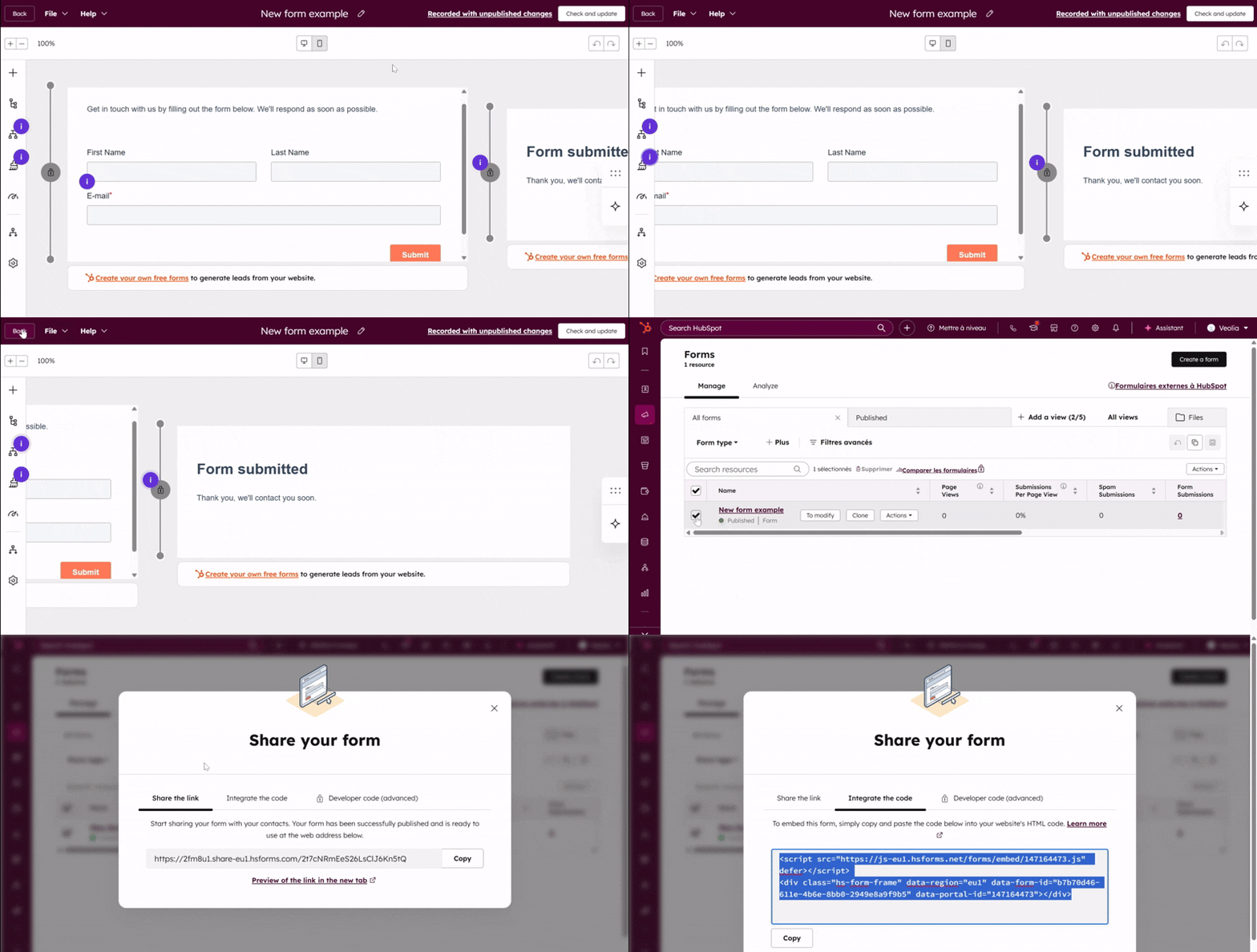
First, go to Hubspot and build your HubSpot form with all required fields.
In the form options, make sure ‘unstyled form’ is selected.
Still in HubSpot, generate the embed code using the ‘Share’ option.
Finally, copy the generated code and navigate to Drupal.
Step 2 | In Drupal
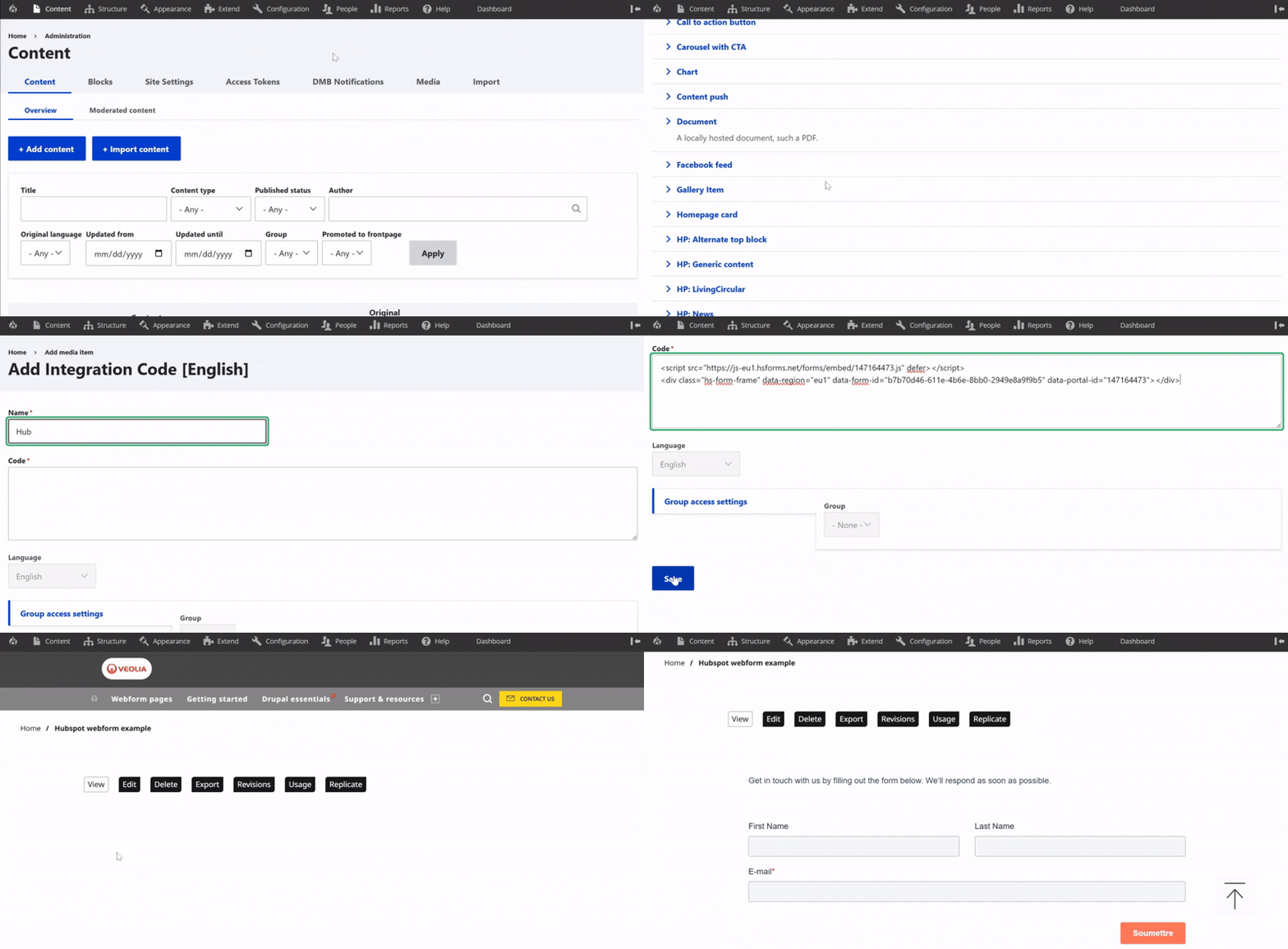
When you are in the Drupal back office, go to the Content menu, then select the Media section.
Click Select entities to add a new item.
Then, choose Integration Code to start creating your new integration. ⚠️ This component can only be created by the Site Admin. Please contact us if you need assistance with its creation.
Give a descriptive name, and paste the embed code you copied from HubSpot into the available field. Don’t forget to click Save.