Configuration order is important
Please follow the same order (top to bottom) as specified on this page when selecting the checkboxes. Using random order may lead to language display error or lock you out of the back-office because of URL format conflict.
1. Default setting: site is Monolingual, language in BO is the default one
On Interface text language detection, field "Selected language" is checked.
On Content language detection, field "Customize Content language detection to differ from Interface text language detection settings" is unchecked.
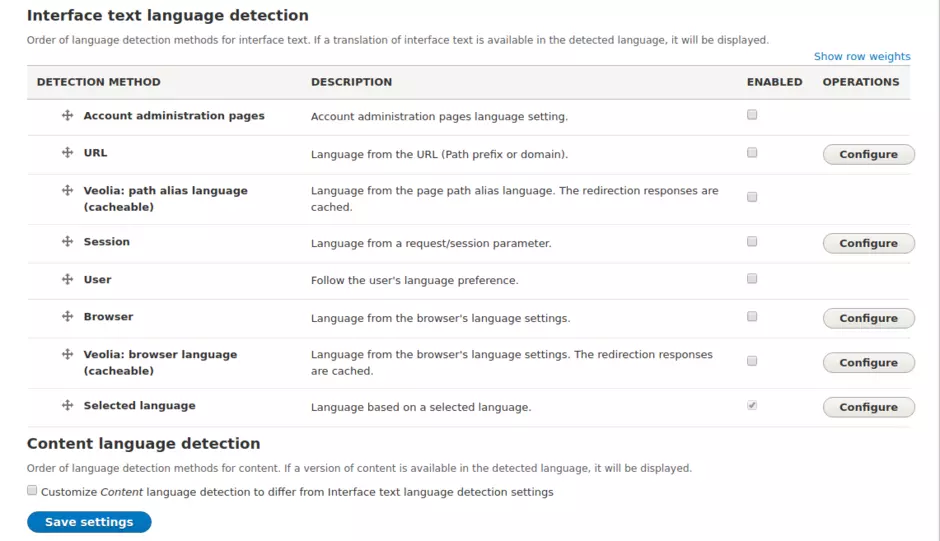
2. Monolingual site, the BO language is the BO User Site language
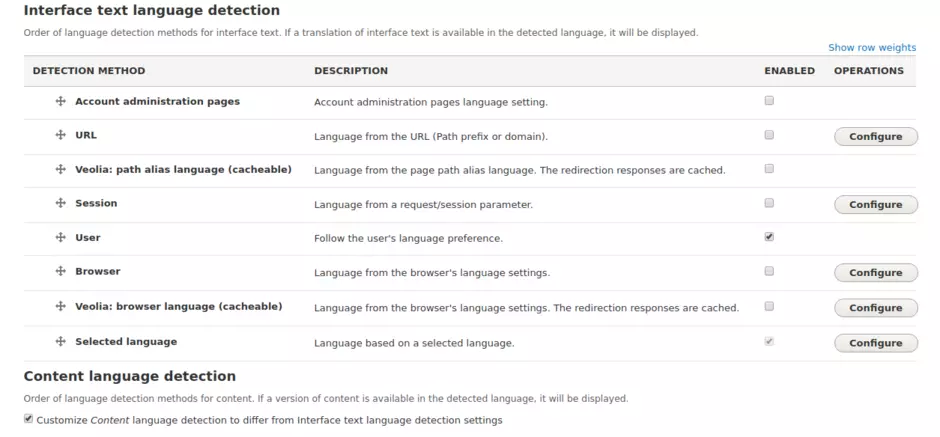
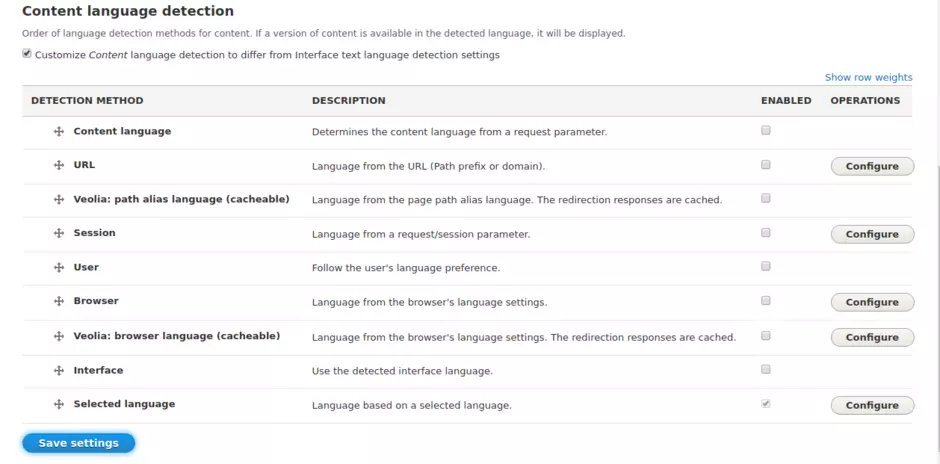
On Interface text language detection, fields "User" and "Selected language" are checked.
On Content language detection, fields "Customize Content language detection to differ from Interface text language detection settings" and "Selected language" are checked.
3. Multilingual site, the BO language is chosen by the language switcher
On Interface text language detection, fields "URL", "Veolia: path alias language (cacheable)", "Veolia: browser language (cacheable)", "Veolia: browser language (cacheable)" and "Selected language" are all checked.
On Content language detection , field "Customize Content language detection to differ from Interface text language detection settings" is unchecked.
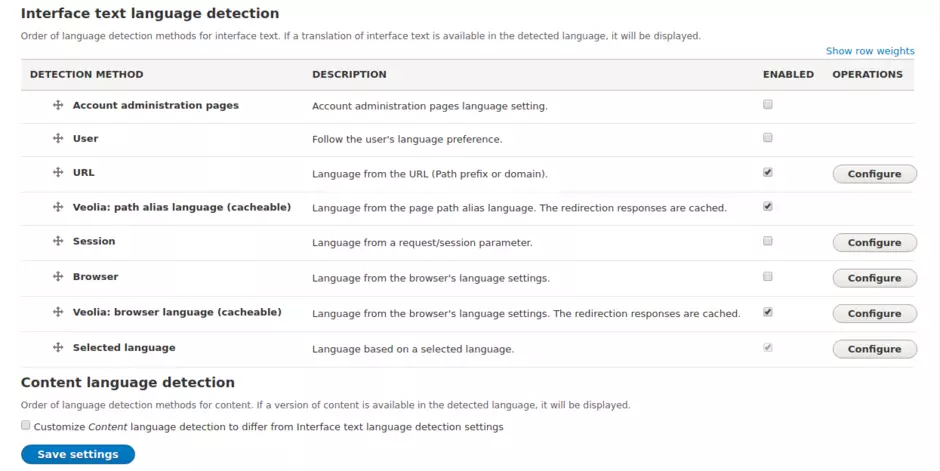
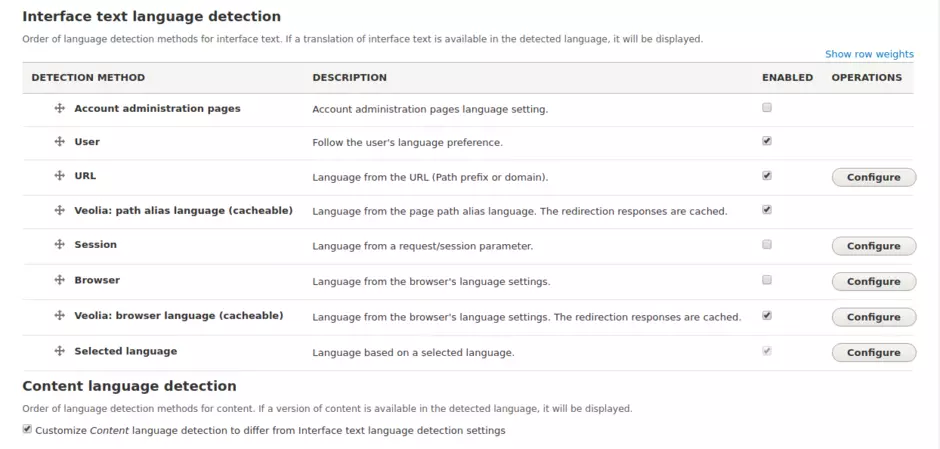
4. Multilingual site, the BO language is the BO User Site language
On Content language detection, fields "User", "URL", "Veolia: path alias language (cacheable)", "Veolia: browser language (cacheable)" and "Selected language" are all checked.
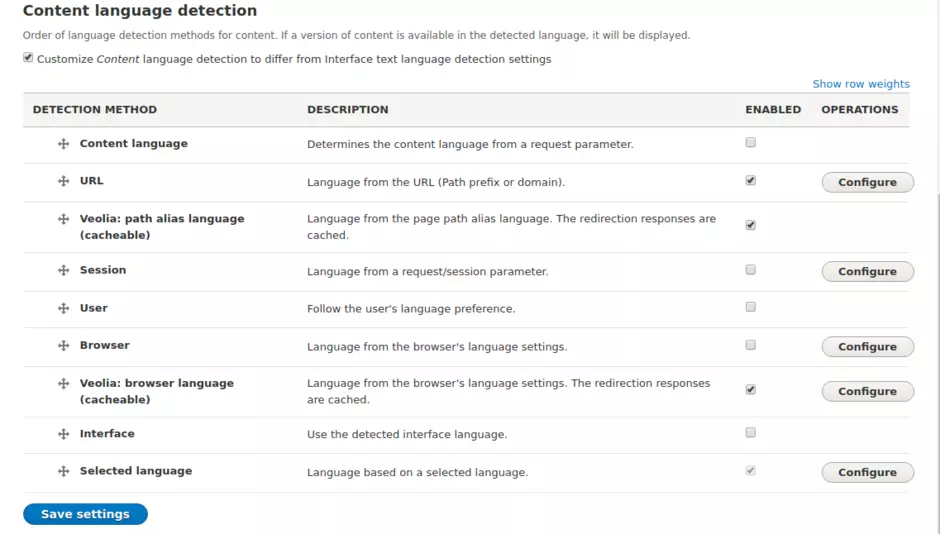
On Content language detection, fields "Customize Content language detection to differ from Interface text language detection settings",
"URL", "Veolia: path alias language (cacheable)", "Veolia: browser language (cacheable)" and "Selected language" are all checked.
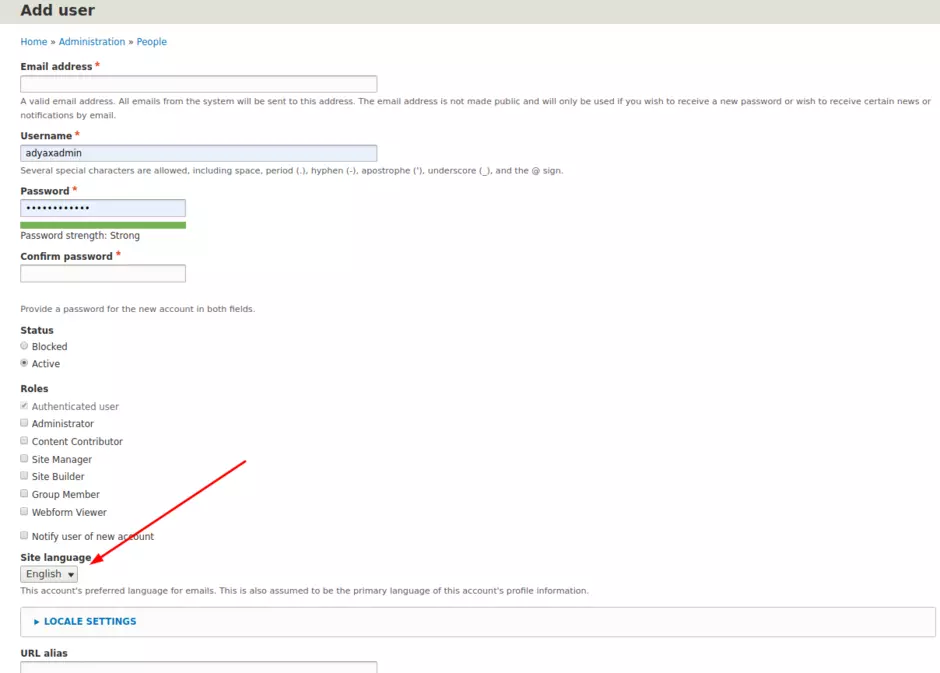
The BO User Site language is set here