

Warning
Creating a new iframe media is restricted to Admins.
If you need, ask the QA team through Jira
Preview

Example of Iframe block
Information architecture
The Iframe media allows to display any external page in Iframe.
It can be created and edited only by Administrator users.
Design
Media can be added to the Embed paragraph.
Iframe media occupes all available paragraph's width.
Iframe's width and height can be set for the media. Recomended to set width in percents to support compability display. Height should be always set in pixels
How to create it
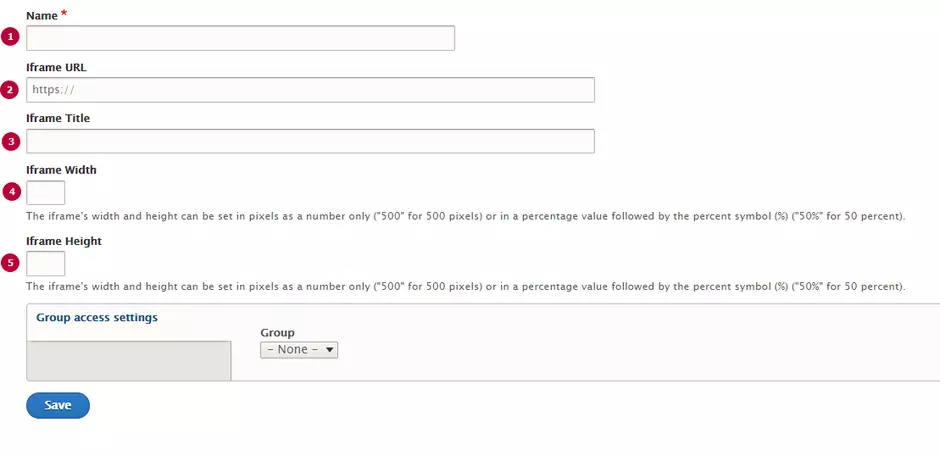
| Field | Description |
|---|---|
| 1 - Name | Used only in the backoffice |
| 2 - Iframe URL | Source URL. Will be displayed in the Iframe. Should starts from https |
| 3 - Iframe Title | Title text, displays above the Iframe |
| 4 - Iframe Width |
Width of iframe's window. Can be set in pixels or percents. Width in pixels is more preferable, according to responsive view support |
| 5 - Iframe Height | Height of iframe's window. Should be set in pixels. |