

Preview
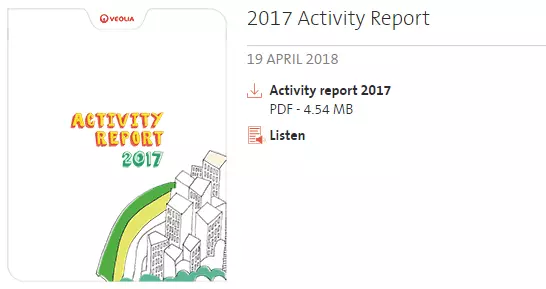
Publication media example
Information architecture
Publication media is used for Publication listing
Design
One or several documents can be attached for pulbication media.
Publication media can be embed to a Text paragraph with no alignment and width options.
How to create it
- Go to Content, then click on Media tab
- Click on add Media button
- In the list of available media click on Publication
- On create Publication form add Name and attach Document
- Click on save button
More details about fields are described below on this page.
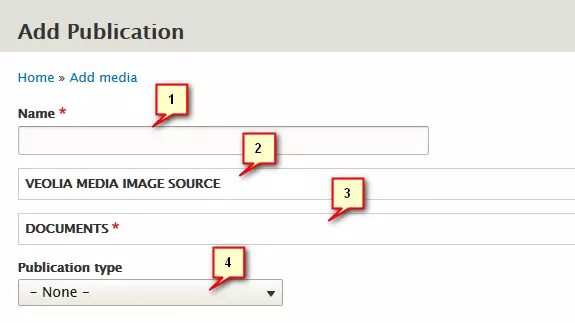
| Field | Description |
|---|---|
| 1 - Name | Publication title. |
| 2 - Veolia media image source | Image file. Allowed types: png gif jpg jpeg. |
| 3 - Documents |
A file for document media. Will be opened on click. Several documents can be selected |
| 4 - Publication type |
List of publication type. Can be managed via taxonomy. Also used as a filter in front-office. |
Warning
Publication media doesn't allow translations directly
(using translate tab in the publication won't work)
If you're managing a multi-lingual site,
then you have to create a publication for each language