

Preview
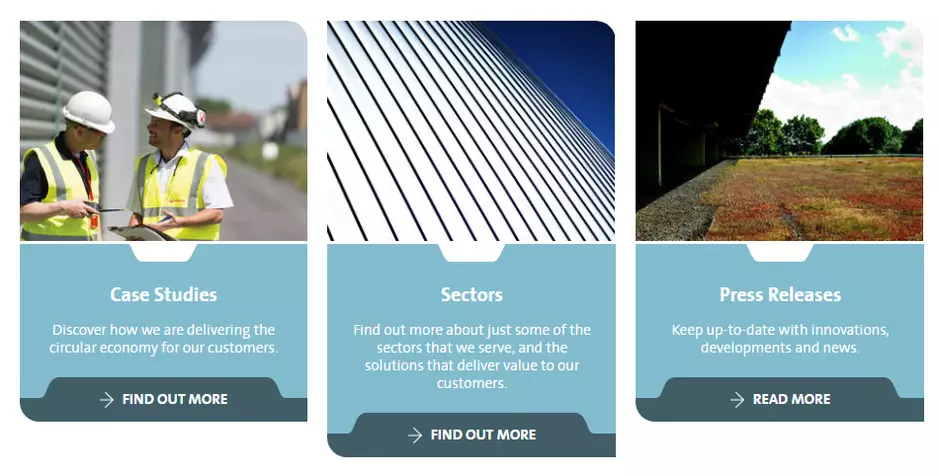
Information architecture
The Content Push media displays an internal or an external link with a custom presentation.
Design
Color of a Content push media can use any of the Veolia colors.
Link of the Content push can point to an internal page of the site or an external page.
Case both links are added to the same Content push, then external link will be ignored.
Internal link uses the group of fields "Content push" of the referenced node (see more details here).
Typical usage and example
To be used for: Custom presentation for related pages
See an example on https://www.veolia.co.uk/plan-plastics-thank-you
How to create it
Content pushes can be built in 2 ways, depending on one criteria:
- related page within the site
- related page outside the site
If the related page is within the site,
then use the Internal link zone
and just insert the name of the page
you want to make a connection to
if the related page is outside the site,
then fill in all the fields available
in the External link zone
In order to have a proper Content Push, just open the related page and update the Content push zone available below the Hero Banner zone.
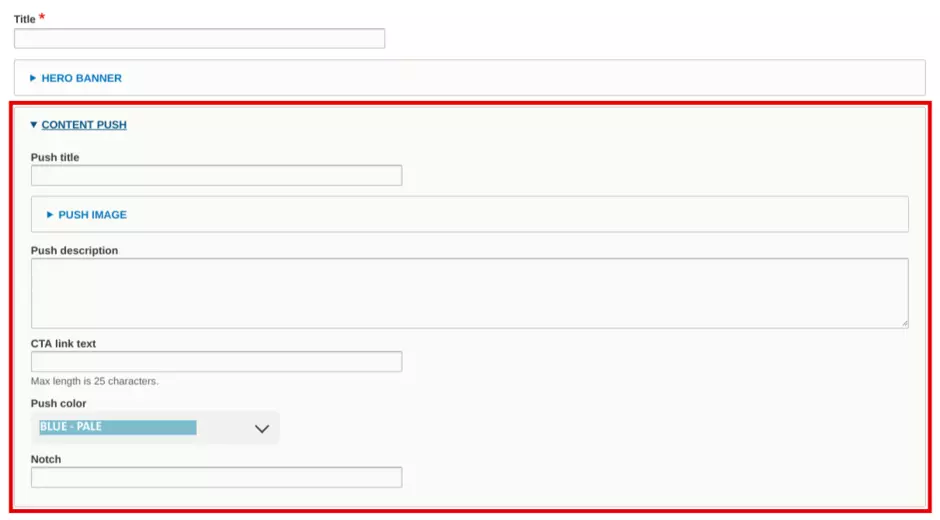
See details on how a to build a proper Content push for a page outside the site below, starting at point 3.
Content Push media creation interface
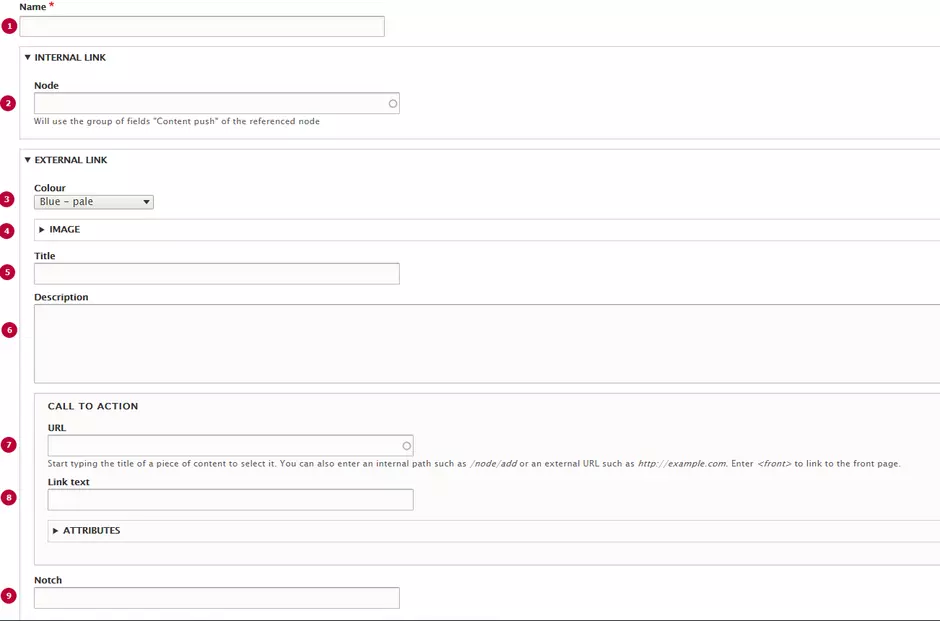
| Field | Description |
|---|---|
| 1 - Name | Used only in the backoffice |
| 2 - Internal link | Link to related page |
| 3 - Colour | Chose a color for Content push backgorund |
| 4 - Image | Image for content push preview |
| 5 - Title | Title of content push |
| 6 - Description | Small description of content push |
| 7 - URL | Link to related page |
| 8 - Link text | Label for the content push button |
| 9 - Notch | Notch text, empty by default |