

Preview
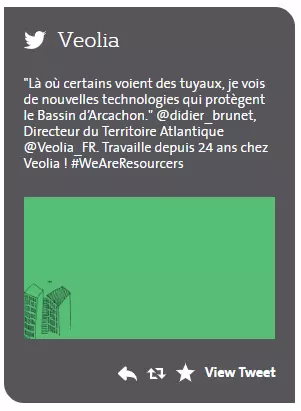
Tweet push media example preview
Information architecture
Tweet push medias displays the latest post from set Twitter's account
Can be added to a Grid paragraph (Homepage as well)
Design
Twitter icon and account's name displays on the top of the media
The latest twit is displaying with image(if it added to the twit)
Reply, Re-twit, Add to favorite and View Tweet buttons are displaying in the right bottom corner of the media
How to create it
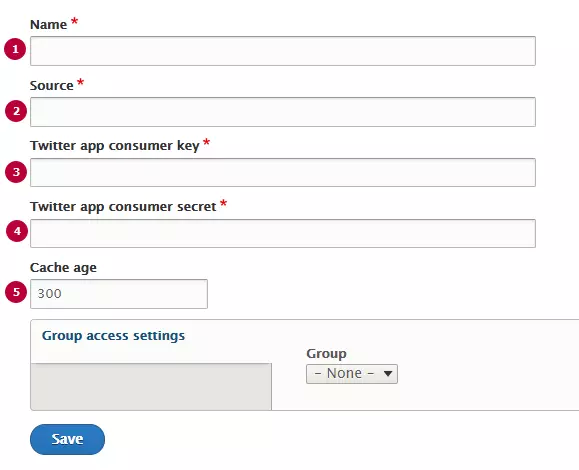
| Field | Description |
|---|---|
| 1 - Name | Used only in the backoffice, not visible for the end users |
| 2 - Source | Link to source twitter account |
| 3 - Twitter app consumer key |
Twitter Application ID. Should be created with twitter(see detailed instructions below) |
| 4 - Twitter app consumer secret |
Api secret key Twitter Application ID. Should be created with twitter(see detailed instructions below) |
| 5 - Cache age |
Timeout between posts updating. Set in seconds, default value is 300s (5 minutes) |