The chart is used to visualize your data effortlessly in an interactive way.
How to edit in the back office ?
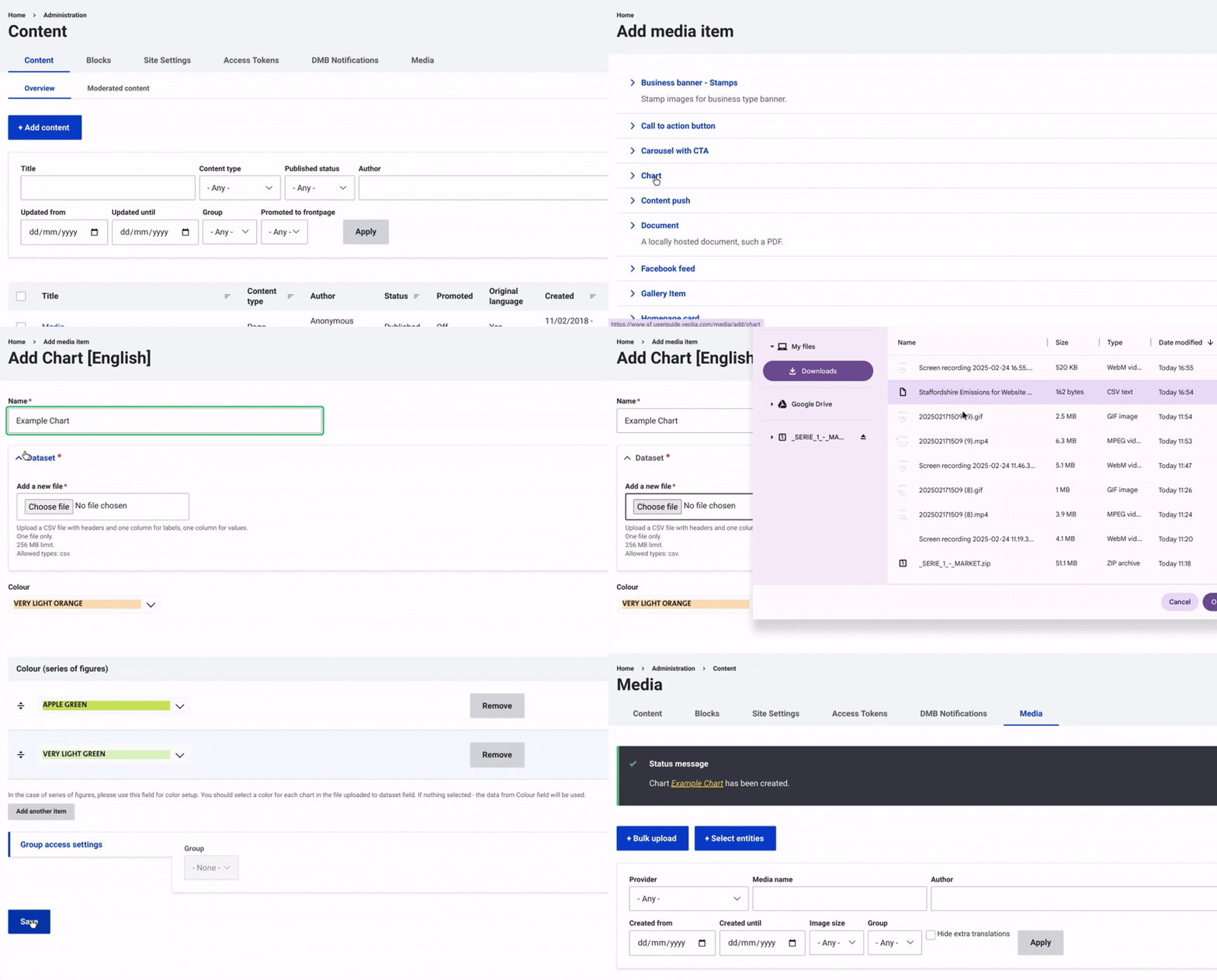
First, navigate to Content and select Media from the top menu on the right. Then, click on +Select Entities and choose Chart.
Enter a name for the chart to help with identification.
Once this is done, select the dataset file from your device that you want to upload to load the data.
Then, choose a color using the dropdown menu to display the chart.
Finally, make sure to select "Save" to complete the image insertion and finalize the process.
Example: