Documents are commonly used across site components to provide links to related files, such as press releases, plans, or policies. When clicked, the linked document will open and can be downloaded.
How to edit in the back office ?
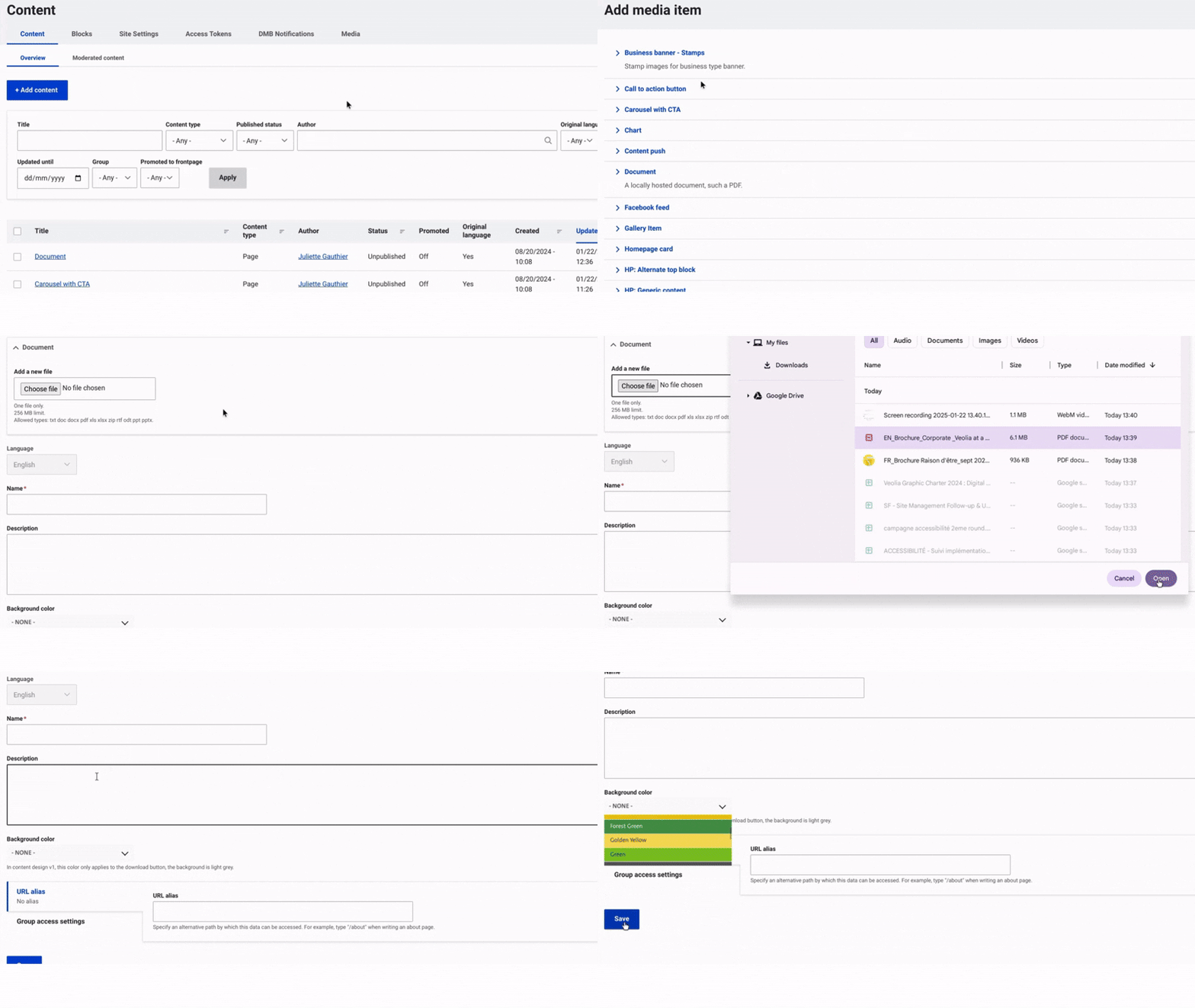
First, navigate to Content and select Media from the top menu on the right. Then, click on +Select Entities and choose Document.
Choose a storage type for your document: Public if the file is accessible to all users, or Embargoed to restrict access.
Once this is done, select the file from your device that you want to upload. Enter a name for the document to help with identification and a short description.
Then, choose a background color using the dropdown menu.
Finally, make sure to select "Save" to complete the image insertion and finalize the process.