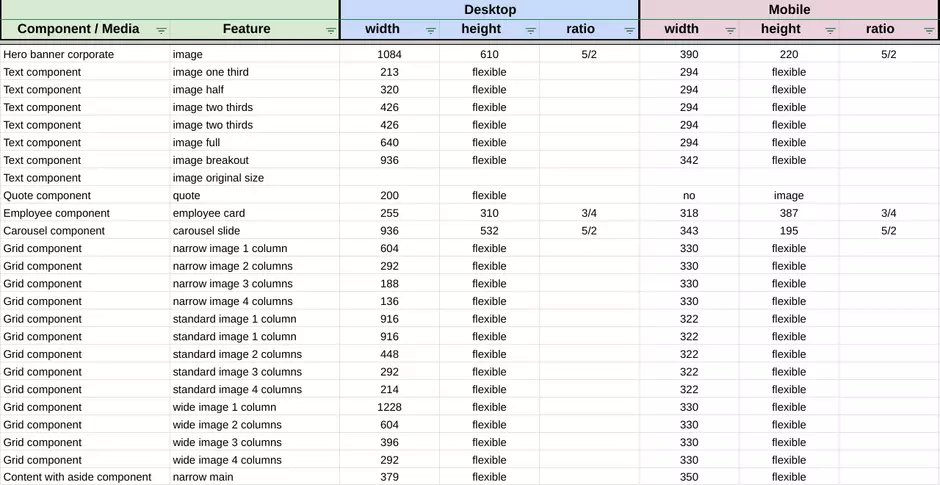
Images are commonly used across site components, and animated gifs are also supported. To ensure compatibility with Drupal, the image format must be prepared in advance according to specific requirements. Please copy the document for guidelines on preparing the images in the correct format and selecting the appropriate size.
How to edit in the back office ?
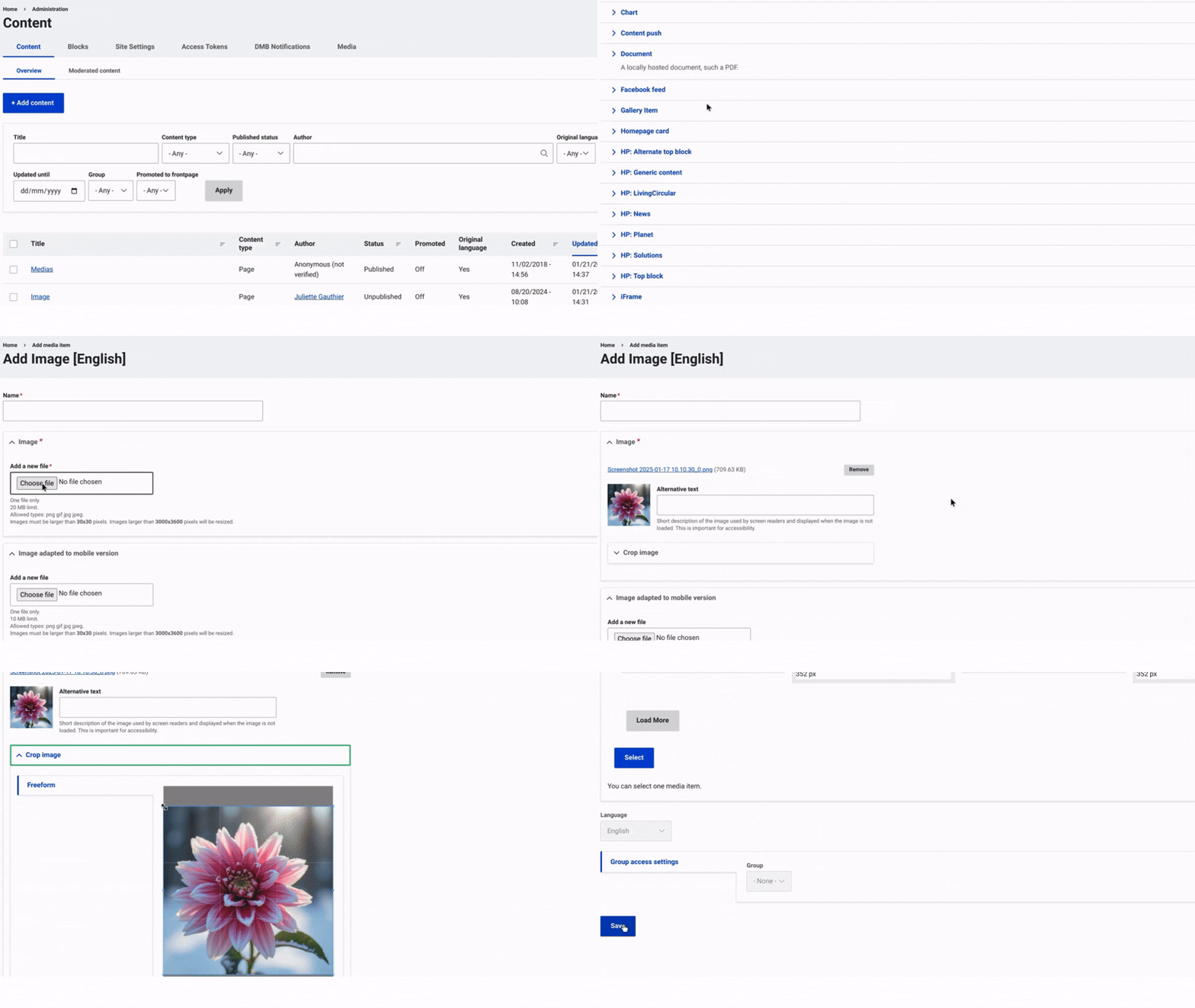
First, navigate to Content and select Media from the top menu on the right. Then, click on +Select Entities and choose Image.
Once this is done, choose the image you want to insert. Enter a name for the image to help with identification, and select the file from your device that you want to upload. A second image file should be added for mobile display.
Add alternative text to ensure accessibility for users with visual impairments.
After the image is selected, you can modify its format and size using the "Crop Image" field.
Finally, make sure to select "Save" to complete the image insertion and finalize the process.