Videos are versatile elements used across site components to deliver dynamic and interactive user experiences. Pay attention: Only videos from YouTube and Vimeo are supported on the platform.
How to edit in the back office ?
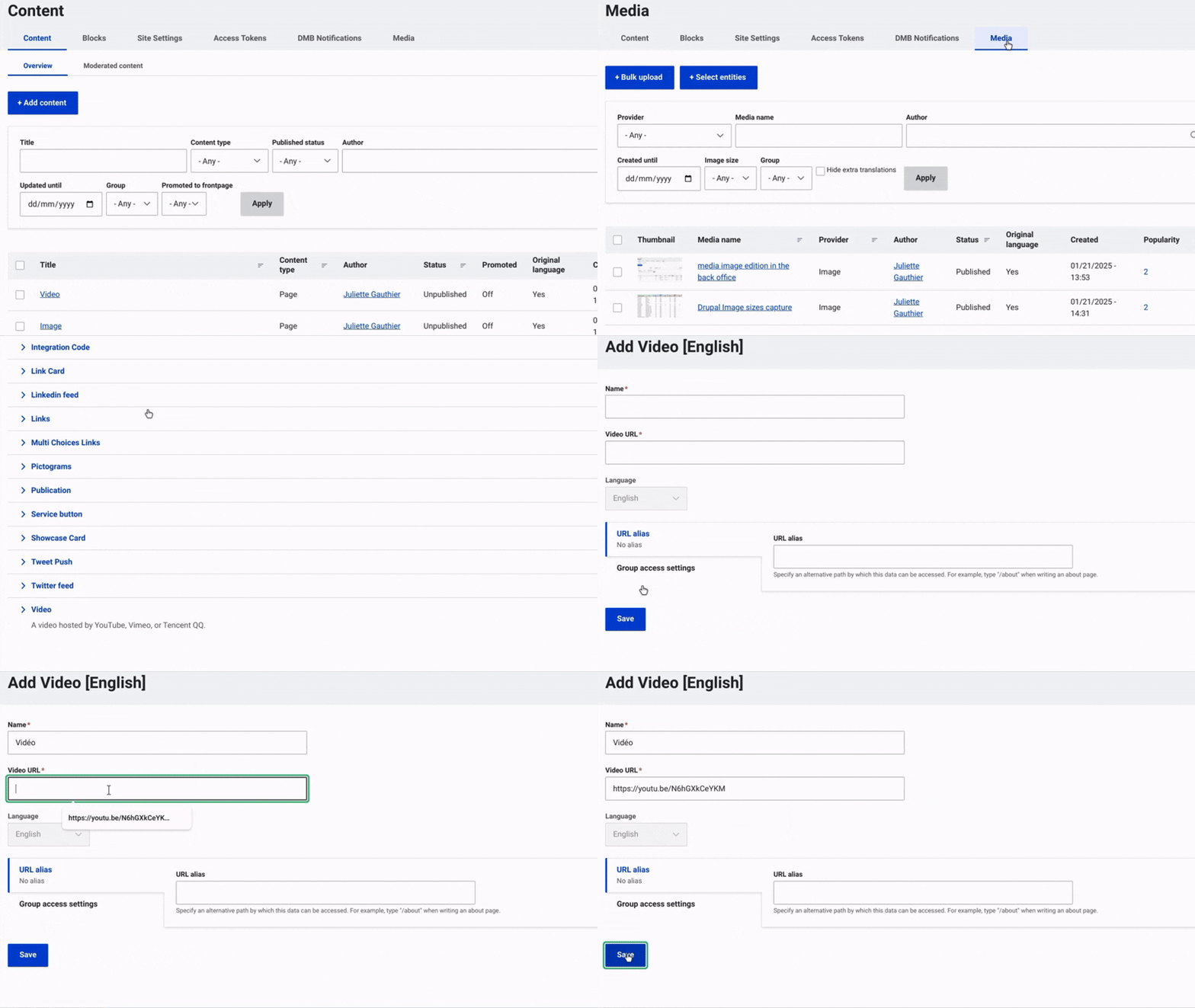
First, navigate to Content and select Media from the top menu on the right.
Then, click on +Select Entities and choose Video.
Once this is done, enter a name for the video.
Add the URL of the video (from YouTube or Vimeo).
Finally, make sure to select "Save" to complete the image insertion and finalize the process.
Warnings
For Grid and Content with Aside cases, due to the specific layout constraints of YouTube and Vimeo, the video component can only be used with Grid layouts of ONE and TWO columns, and cannot be used within the Aside column.
Use the complete URL (including https://) in the video URL field. Otherwise, it won't be identified as proper.