Link cards highlight specific content or pages and redirect users to the designated destination, ensuring quick access to additional resources.
How to edit in the back office ?
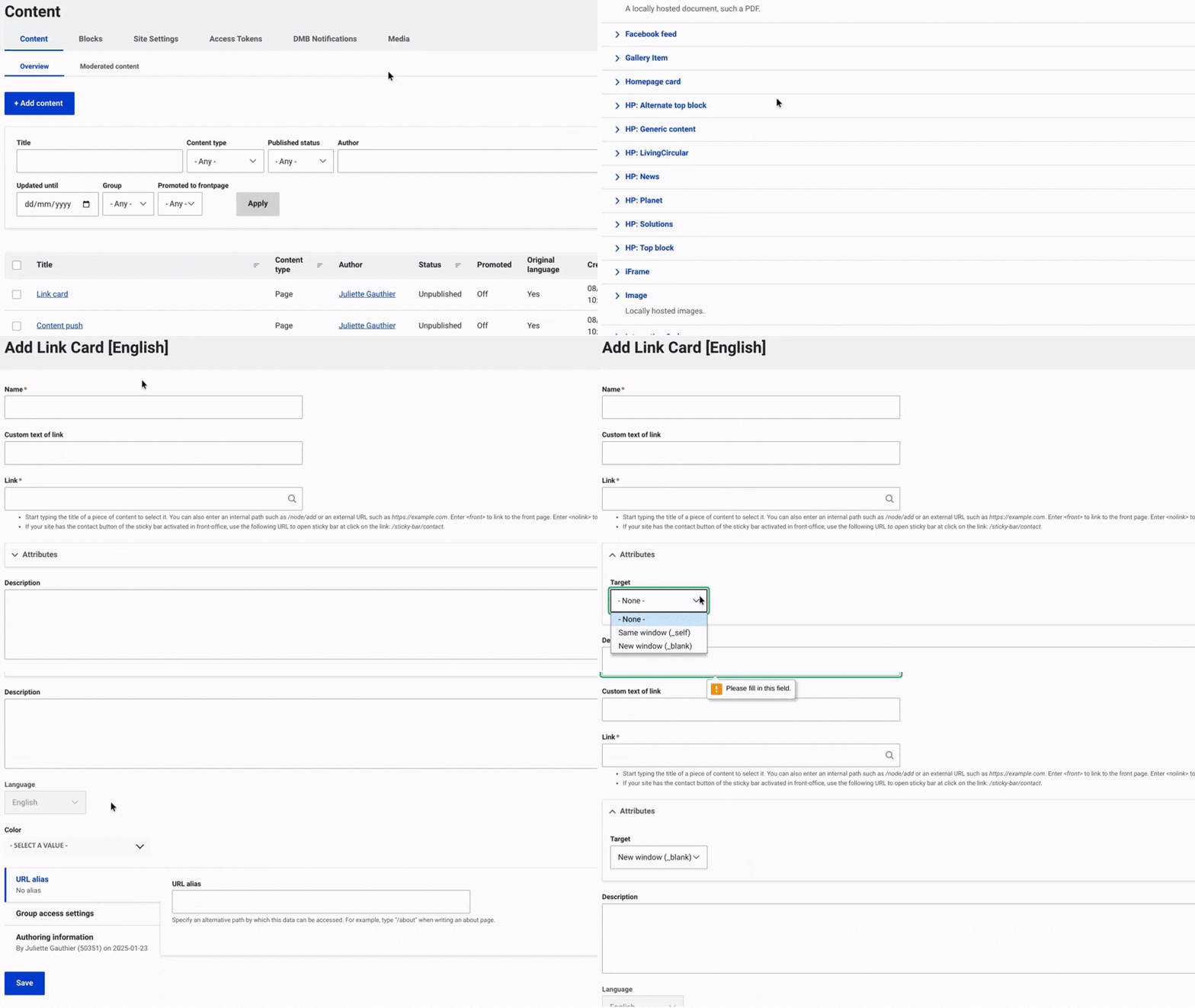
First, navigate to Content and select Media from the top menu on the right. Then, click on +Select Entities and choose Link card.
Once this is done, enter a name to configure the Link card.
Then, add the text for the button and enter the URL of the target page in the URL field.
In the Attributes field, specify whether the button should keep users on the current page after clicking or open the link in a new window.
Next, add a title and a brief description if needed. Select a background color using the dropdown menu.
Finally, click 'Save' to complete the setup and finalize the process.