Pictograms is a small icon that turns information into a simple and clear visual representation. Please download the Bank Pictograms document to access all the icons in every color variation from the brand guidelines and find the pictograms available for download in SVG or PNG format.
Pictogram Bank
⚠️ This media can only be created by the Site Admin. Please contact us if you need assistance with its creation.
How to download the pictogram of your choice?
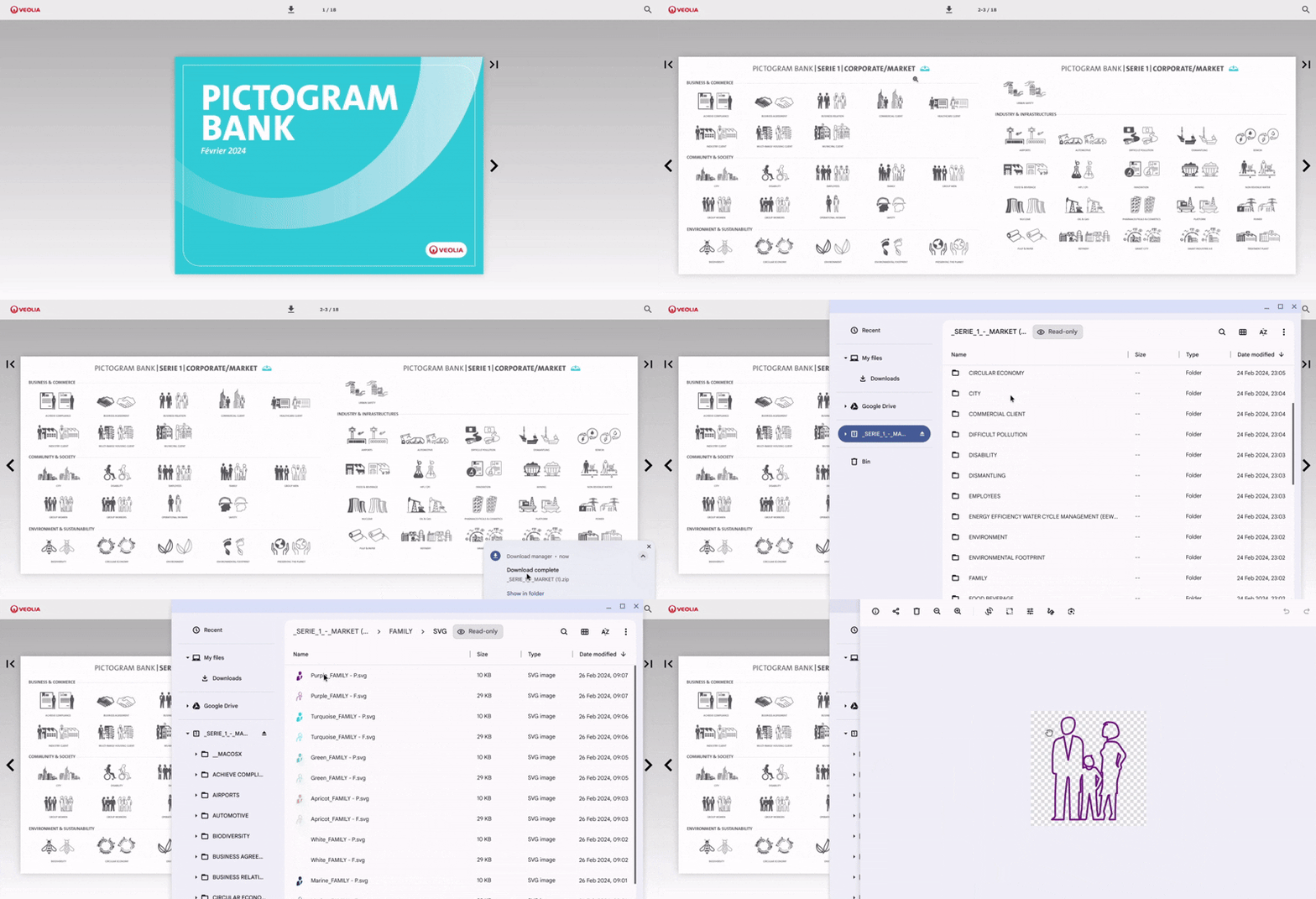
To find an icon, you have access to this document, which you can download in full by clicking on the icon at the top.
Inside, all pictograms are categorized by series. You can download a specific series by clicking on the icon at the top of the page, right after the series title.
The document will be saved in your downloads folder on your device.
Simply locate the ZIP file, select the desired icon, and you will have access to all its color variations in SVG (transparent background) and PNG formats.
How to edit in the back office ?
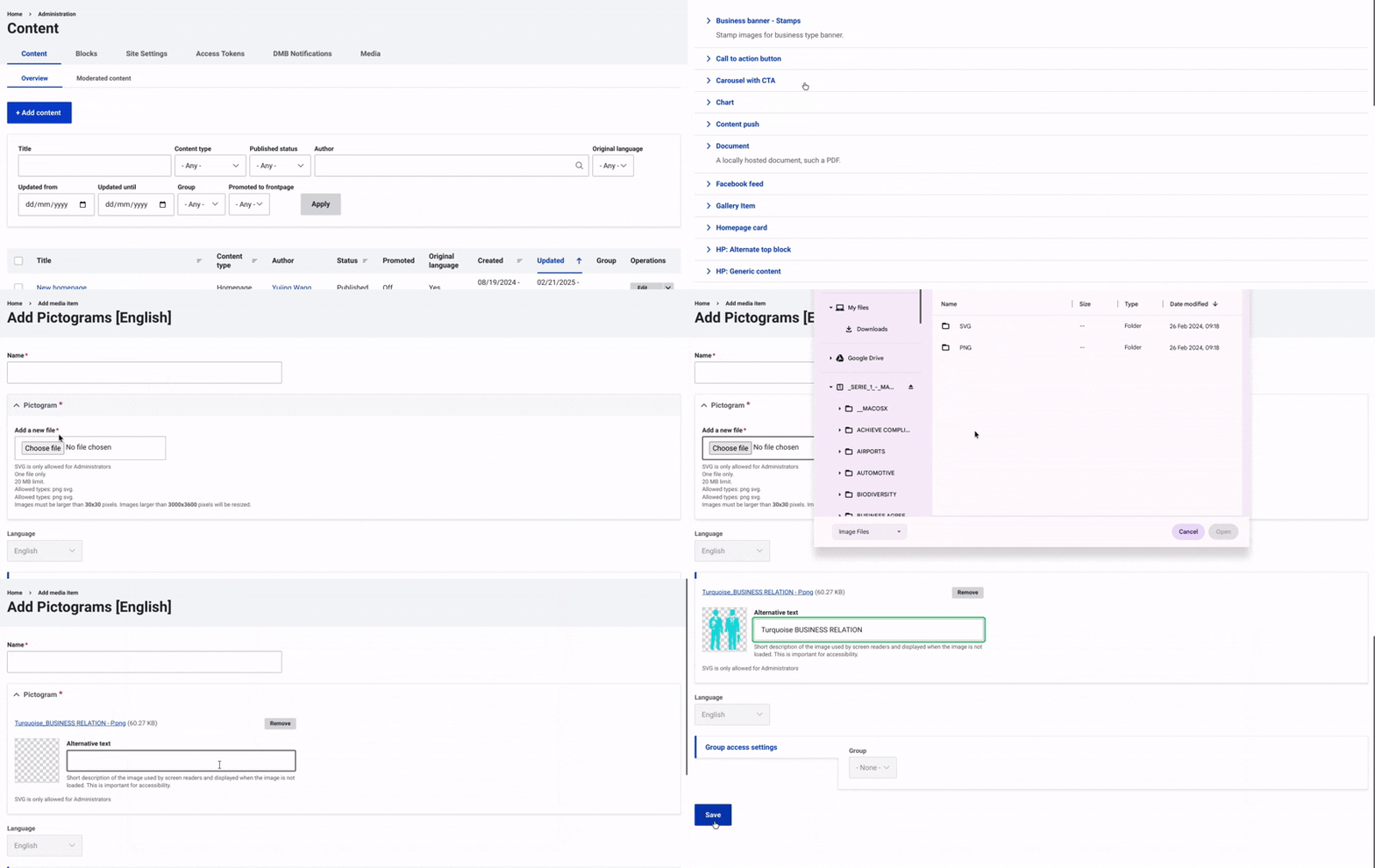
Start by going to the Content section and selecting Media from the top-right menu. Then, click on +Select Entities and choose Pictograms.
Next, enter a name for the pictograms to help with identification, and upload the file from your device. Don’t forget to upload a second image for mobile display.
Add alternative text to ensure accessibility for users with visual impairments.
Finally, click "Save" to complete the process and insert the image.