The Carousel component offers a dynamic way to display visuals.
How to edit in the back office?
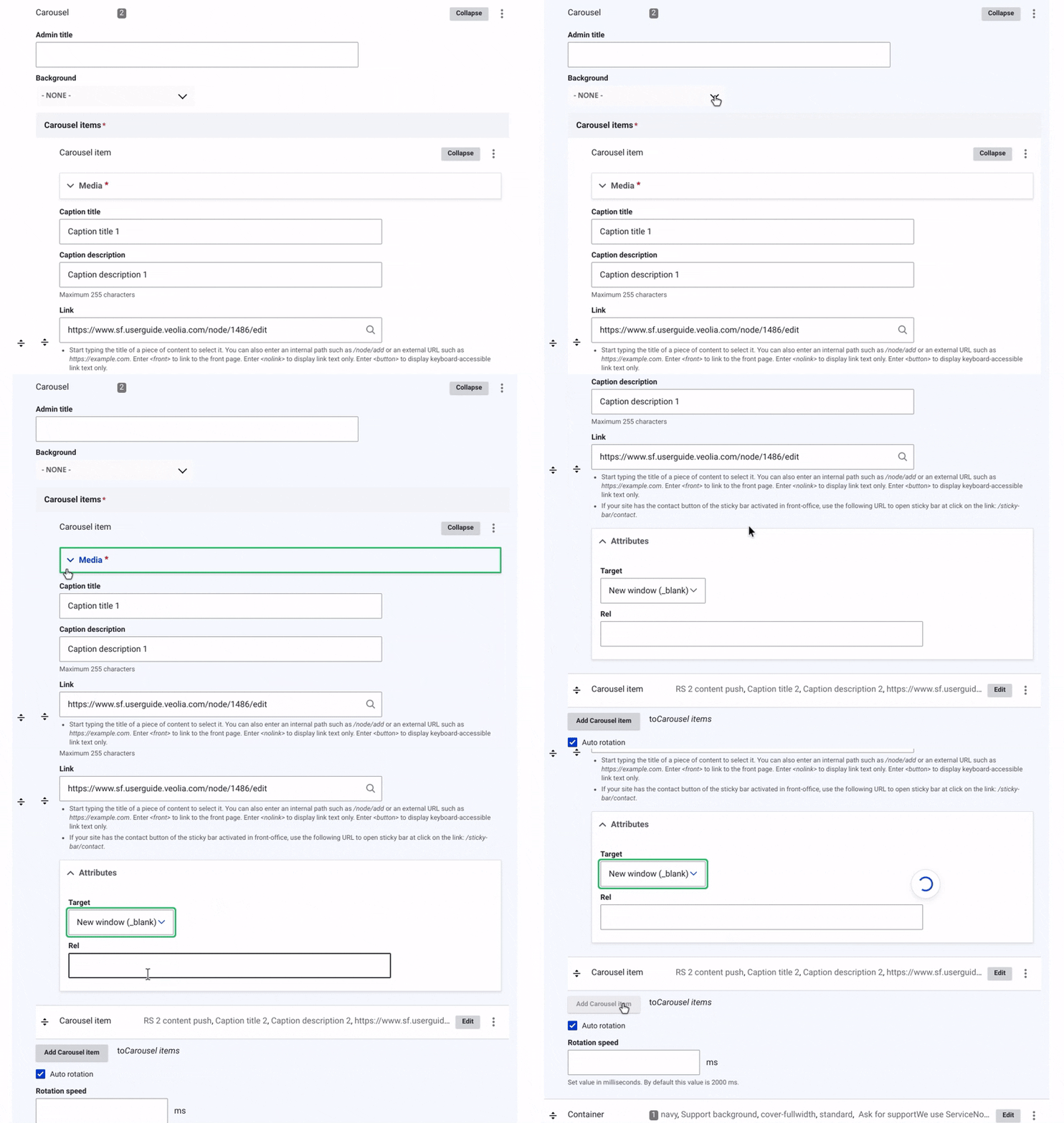
The Carousel component allows you to easily manage and display dynamic visual content.
In the back office, you can provide an admin title to quickly find and edit your elements.
You can select a media that will appear as an image in the carosel.
Add a title and description that will be displayed at the bottom left, beneath the image.
Additionally, you'll need to provide the URL link for the page the carosel references.
In the "Attribute" dropdown menu, it’s recommended to choose the 'New Window' option for the 'Target' field.
Example:

Caption title 1
Caption description 1

Caption title 2
Caption description 2