The Quote section highlights key statements by displaying them in full-width for maximum emphasis. Contributors can add an image and choose to align it either to the left or right. On mobile devices, all content is displayed in a single column for a seamless user experience.
How to edit in the back office?
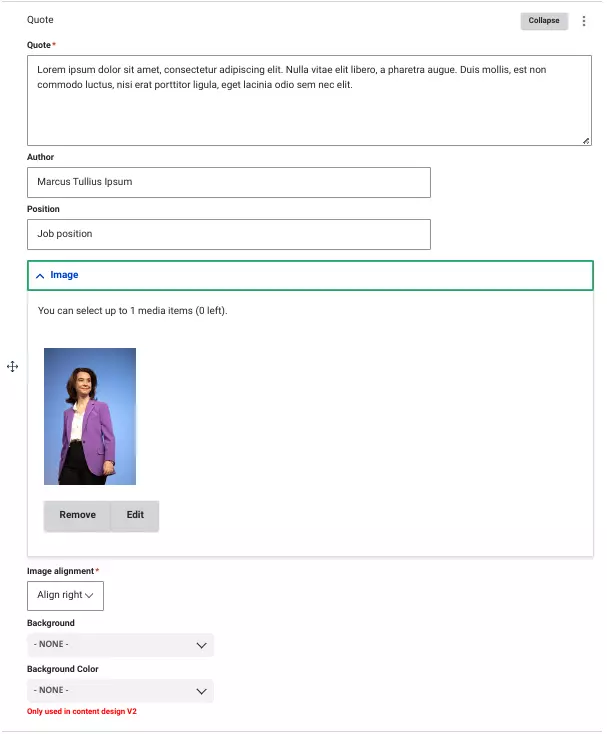
To create a Quote, start by entering the main text of the quote.
Next, add the author’s name and their job title to the quote.
Optionally, upload an image of the author in PNG, GIF, JPG, or JPEG format.
You can choose to align this image either to the left or right of the text, depending on your design preference.
For the background, select between white or grey to match your page's aesthetic.
Example:

« La suffisance est la véritable voie vers une transformation écologique désirable. »