The Integration Code is one of the Embed components that allows you to seamlessly integrate external content into your pages, providing a flexible and efficient way to display web elements.
⚠️ This component can only be created by the Site Admin. Please contact us if you need assistance with its creation.
How to edit in the back office?
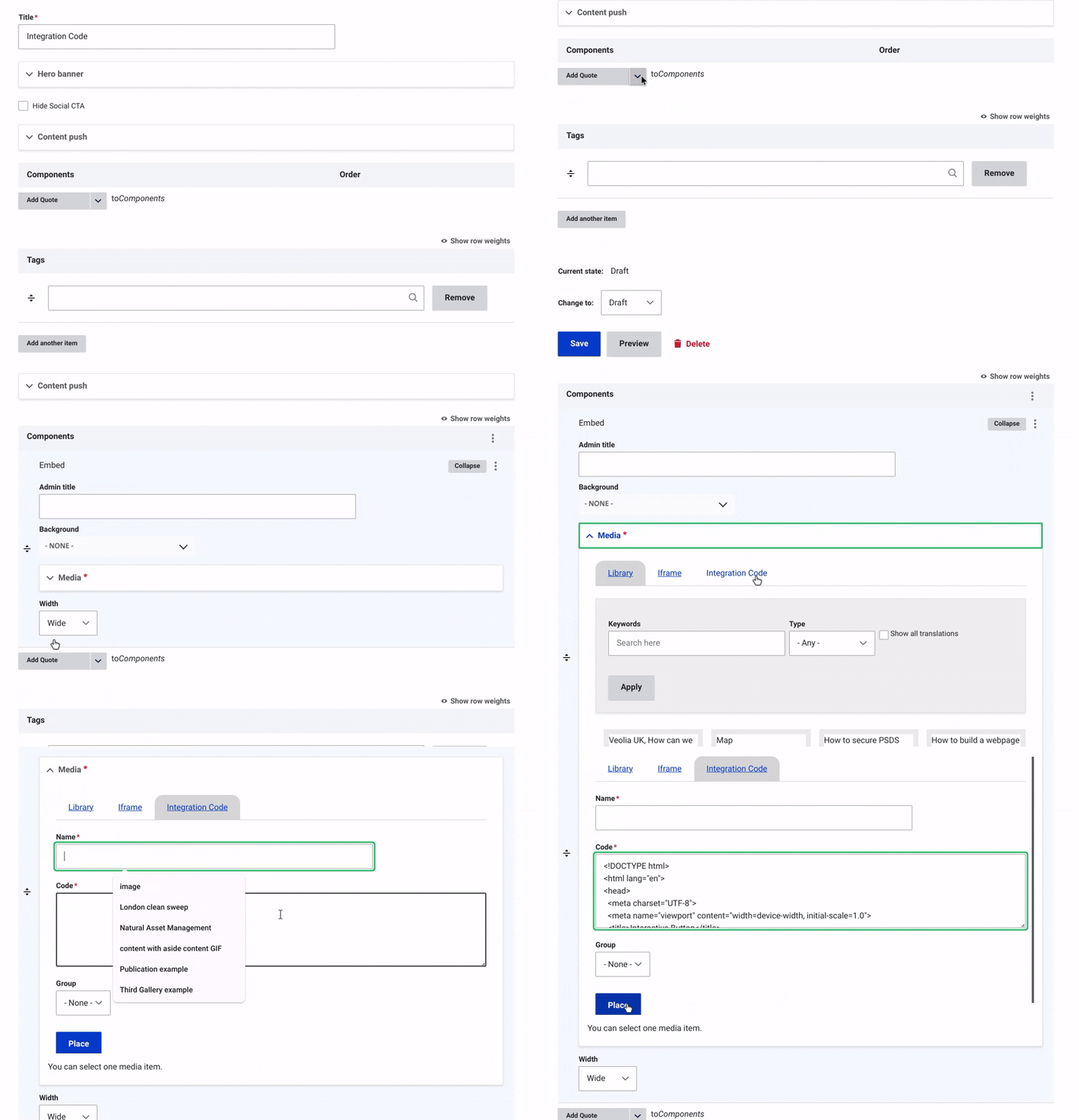
Once the title, hero banner, and content push of the page have been updated, you can start working on the content by adding an Integration Code.
First, add an Embed. Then, click on Media and choose 'Integration Code' from the tab bar.
In the Integration Code form, start by entering the Integration Code Title to define its purpose.
Next, embed your external content by adding the link in the code.
Save Your Changes and Change the status to "Published".
Example: