This procedure outlines the creation and use of the Grid Component, enabling you to efficiently create and structure content into columns.
Editing a "Grid" Component in the Back Office involves two steps:
Step 1 : Access and edit the Grid
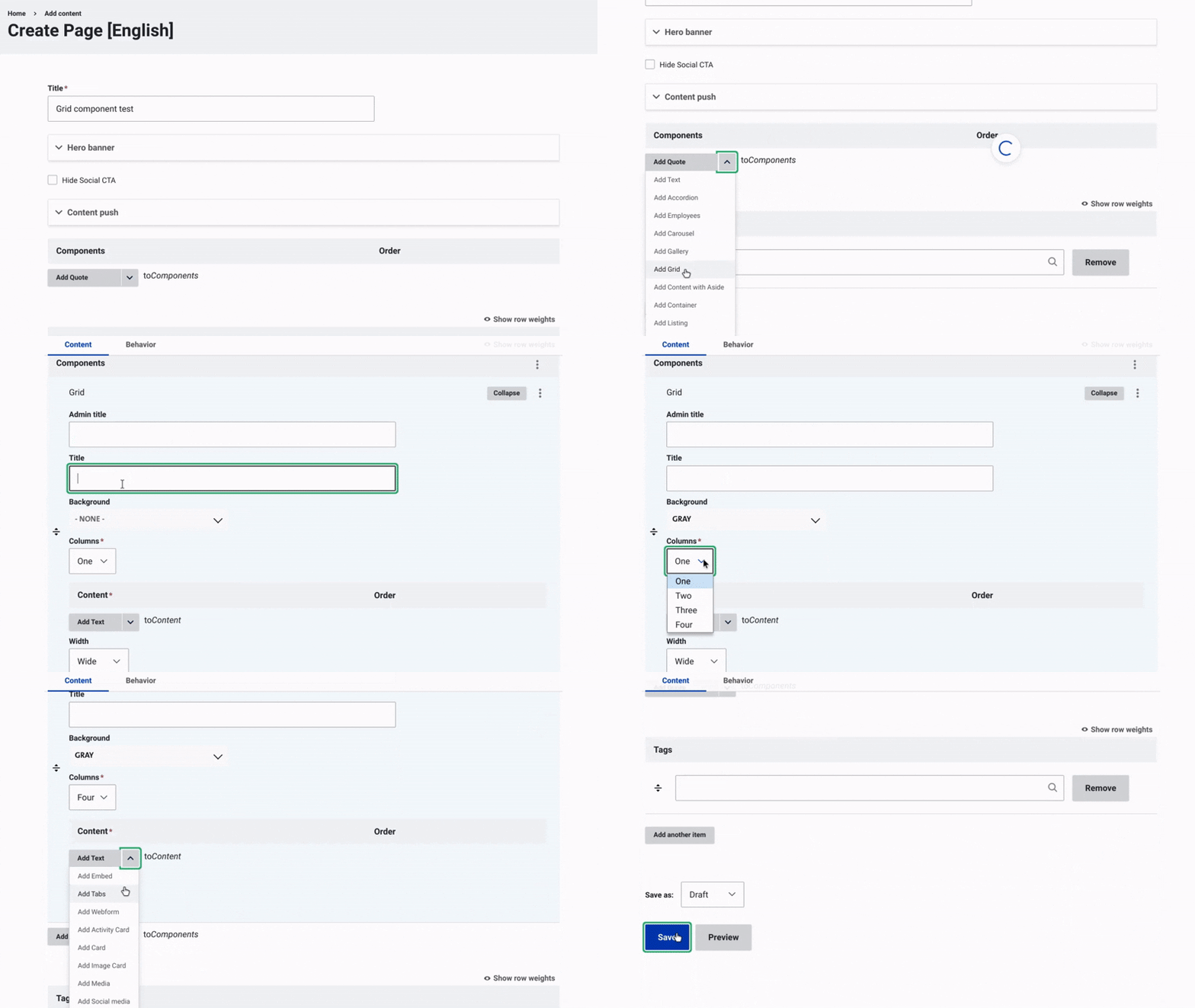
Once the title, hero banner, and content push of the page have been updated, you can start working on the content by adding a container.
Add a Grid:
- Click on the arrow next to "Add Quote to Component."
- From the dropdown menu, select "Add Grid."
- Assign an admin title to the container, visible only in the back office. This makes it easier to organize and manage future edits.
Customize the Grid Layout:
- Choose the background color: You can choose between white or gray.
- Set the number of columns: Choose the number of columns for your grid, ranging from 1 to 4 columns.
Step 2 : Add Content to the Grid
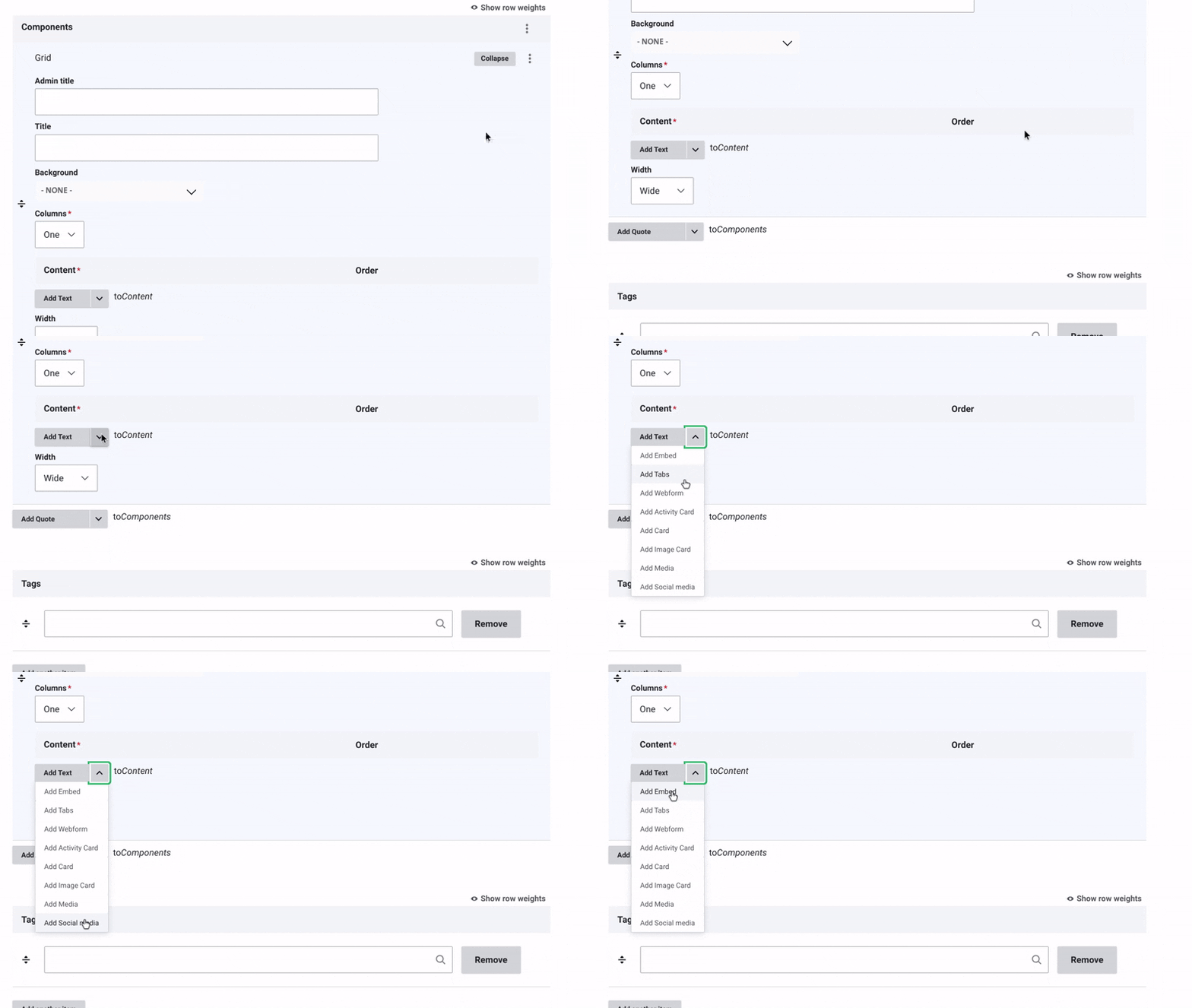
Add Content to the Grid:
- Click on the arrow next to "Add Quote to Content."
- From the dropdown menu, choose the type of element you want to add.
Content Options for the Container:
- Embed: Add an external content like videos, maps, or media using an iframe or integration code.
- Tab: Add interactive tabs for easy navigation between sections.
- Webforms: Collect user input directly through forms.
- Activity Card: Visual layout highlighting specific content with images and animations.
- Card: Clean visual layout presenting key details.
- Image Card: Clean visual layout presenting images prominently.
- Media: Add various media types, such as videos or audio.
Save Your Changes and Change the status to "Published".
Examples:


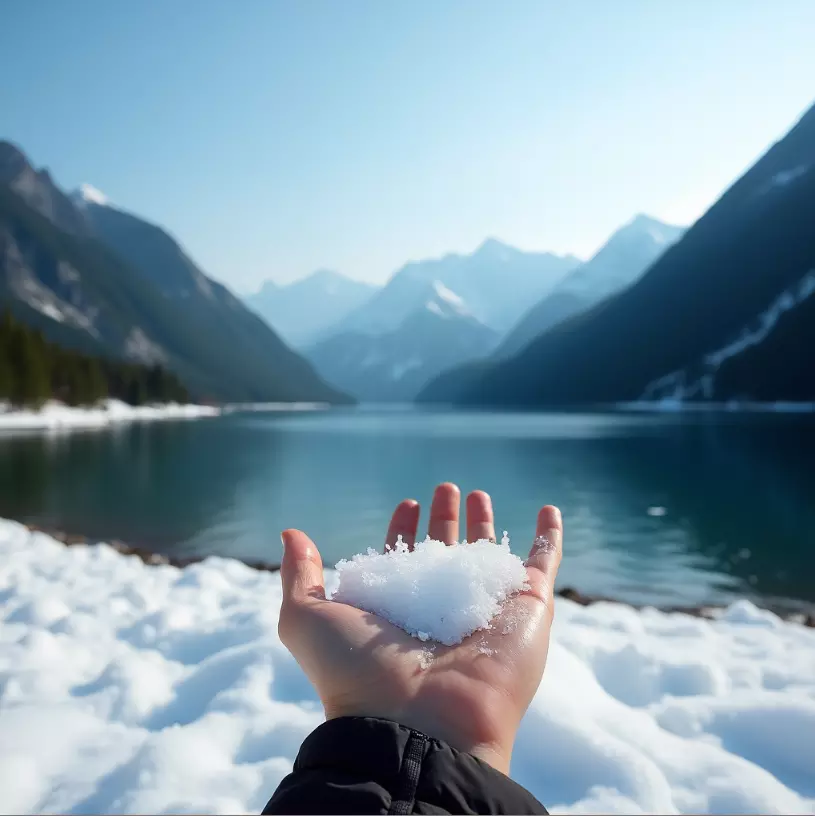


30% water consumption reduction at Les Orres ski resort through smart sensors by Birdz.
15% energy offset by hydro and solar installations in mountain resorts.

Veolia: Driving Sustainability in Mountain Regions (Example)
Veolia is making a significant impact on mountain sustainability through innovative solutions. At Les Orres ski resort, the company has reduced water consumption by 30% through smart sensors deployed by its subsidiary Birdz. In addition, Veolia’s renewable energy initiatives, including hydro and solar installations, offset over 15% of energy consumption in the resorts it manages. In the Himalayas, Veolia’s "Tri-Haut pour l’Everest" project has successfully collected and treated over 1,000 tons of plastic waste. The company also educates more than 3,000 residents and tourists each year in Alpine regions on resource preservation, setting a strong example for sustainable tourism and environmental stewardship.