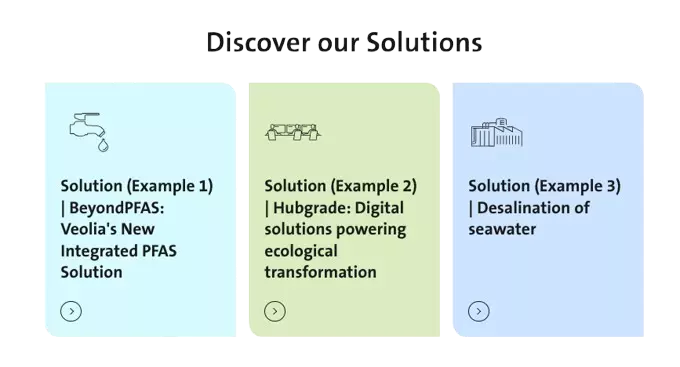
Home Page - Solutions displays solutions through interactive links that guide users to detailed presentations.
How to edit in the back office ?
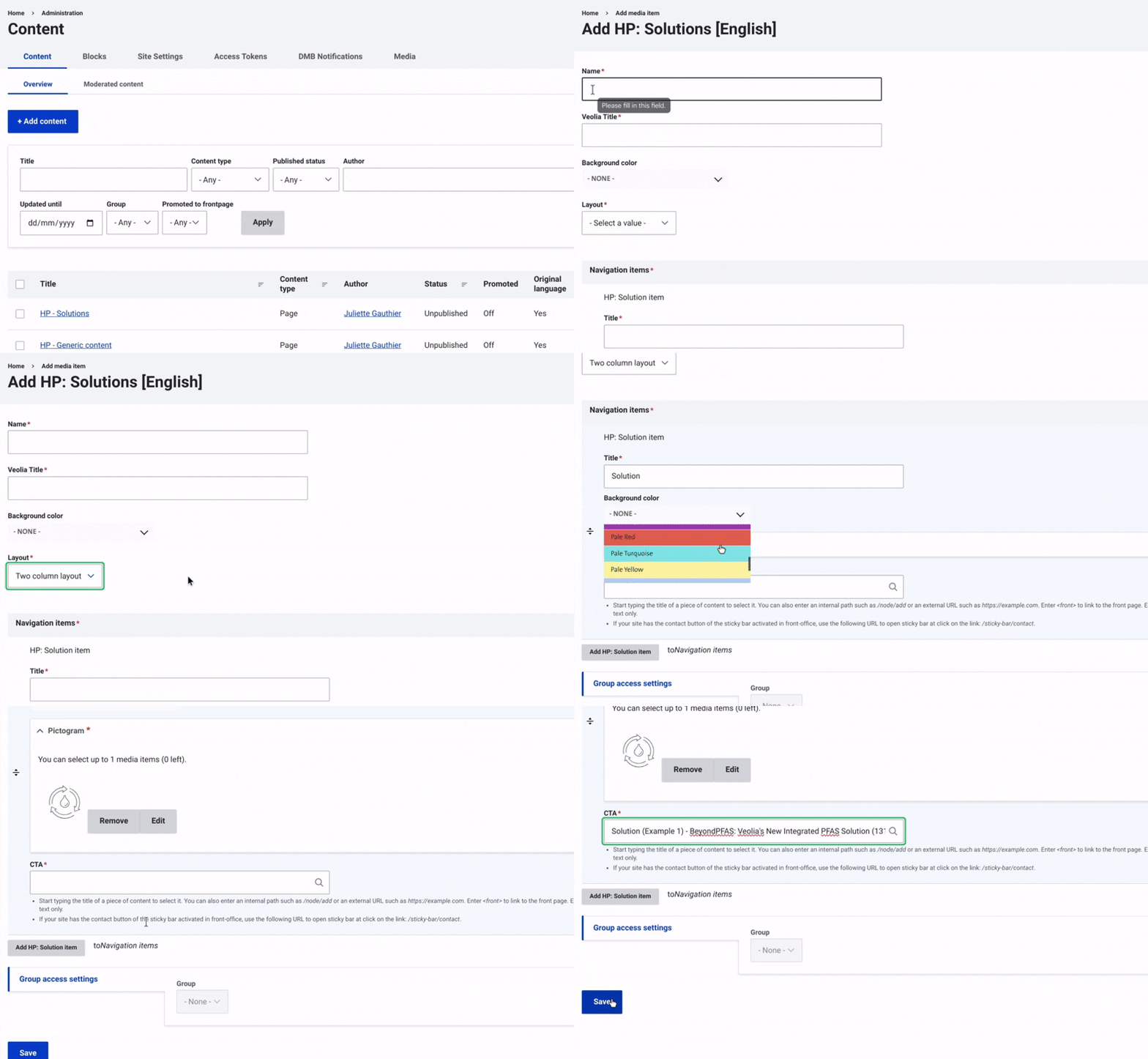
First, navigate to Content and select Media from the top menu on the right. Then, click on +Select Entities and choose HP - Solutions.
Once this is done, enter a name. Next, fill in the Veolia Title, which corresponds to the title of the Veolia news.
Then, choose a background color using the dropdown menu.
Select the number of columns the layout should take.
After that, set up the Navigation Item by assigning it a title and a background color. Choose a pictogram from the available options (mandatory) and configure the CTA by adding a URL to direct users to the relevant page.
Finally, make sure to select 'Save' to complete the setup and finalize the process.