This procedure allows you to showcase the latest updates, including announcements and information.
It involves two steps:
Step 1: create a "News" page
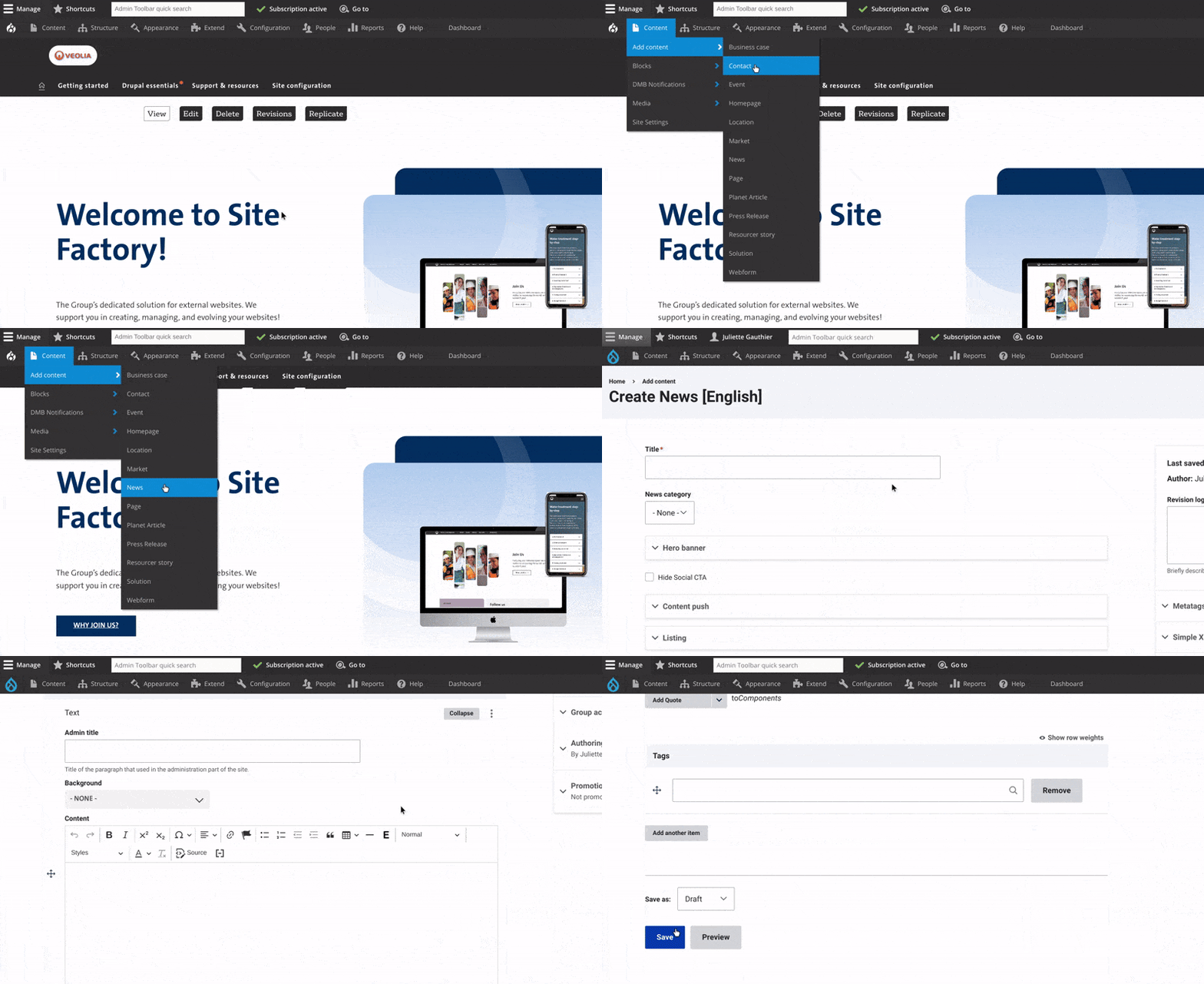

Step 2: Create a "hub page" for news
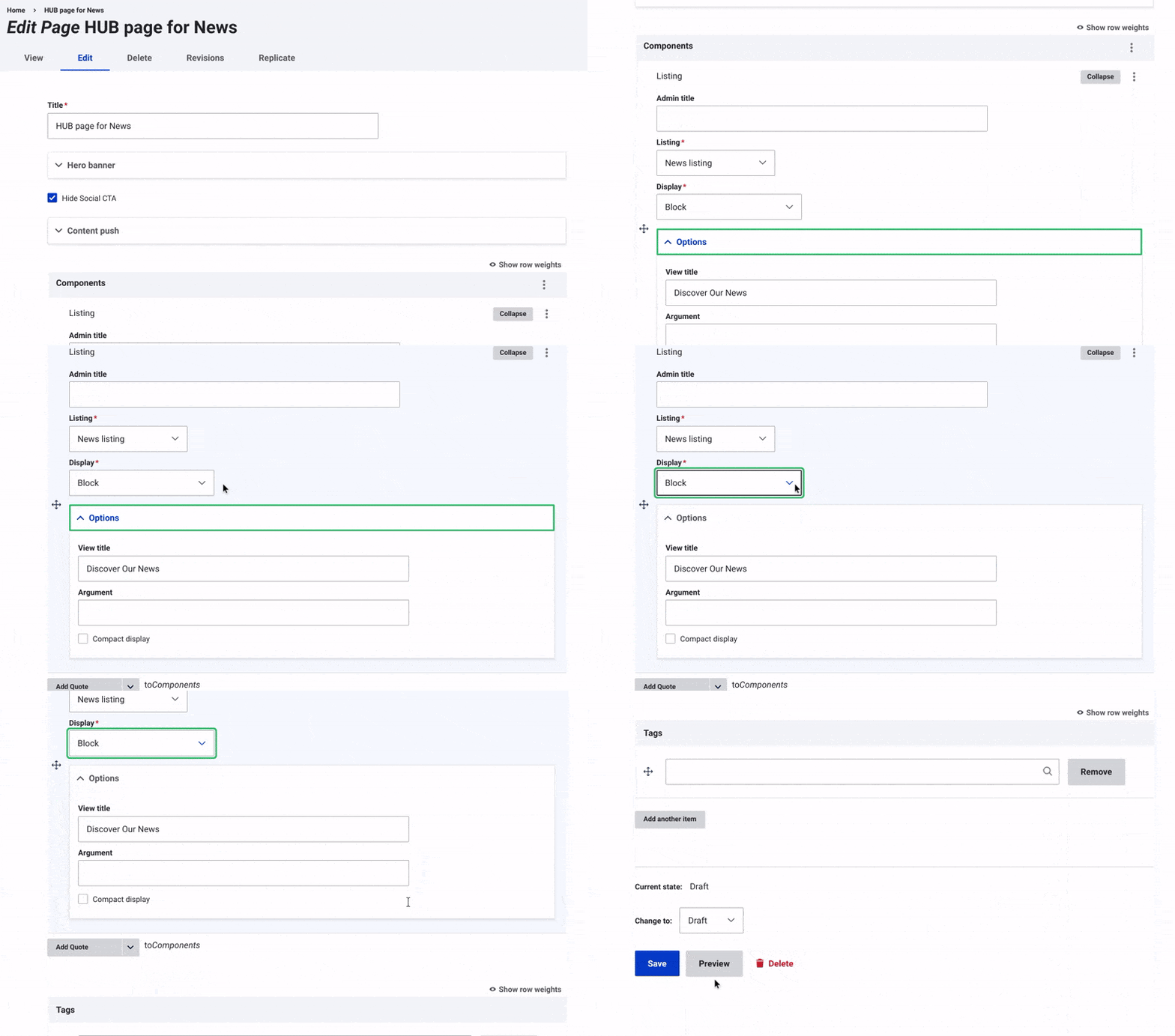
- Create a Page: Use the "Page" content type.
- Add News Listing Component: Choose "News Listing."
- Display Options:
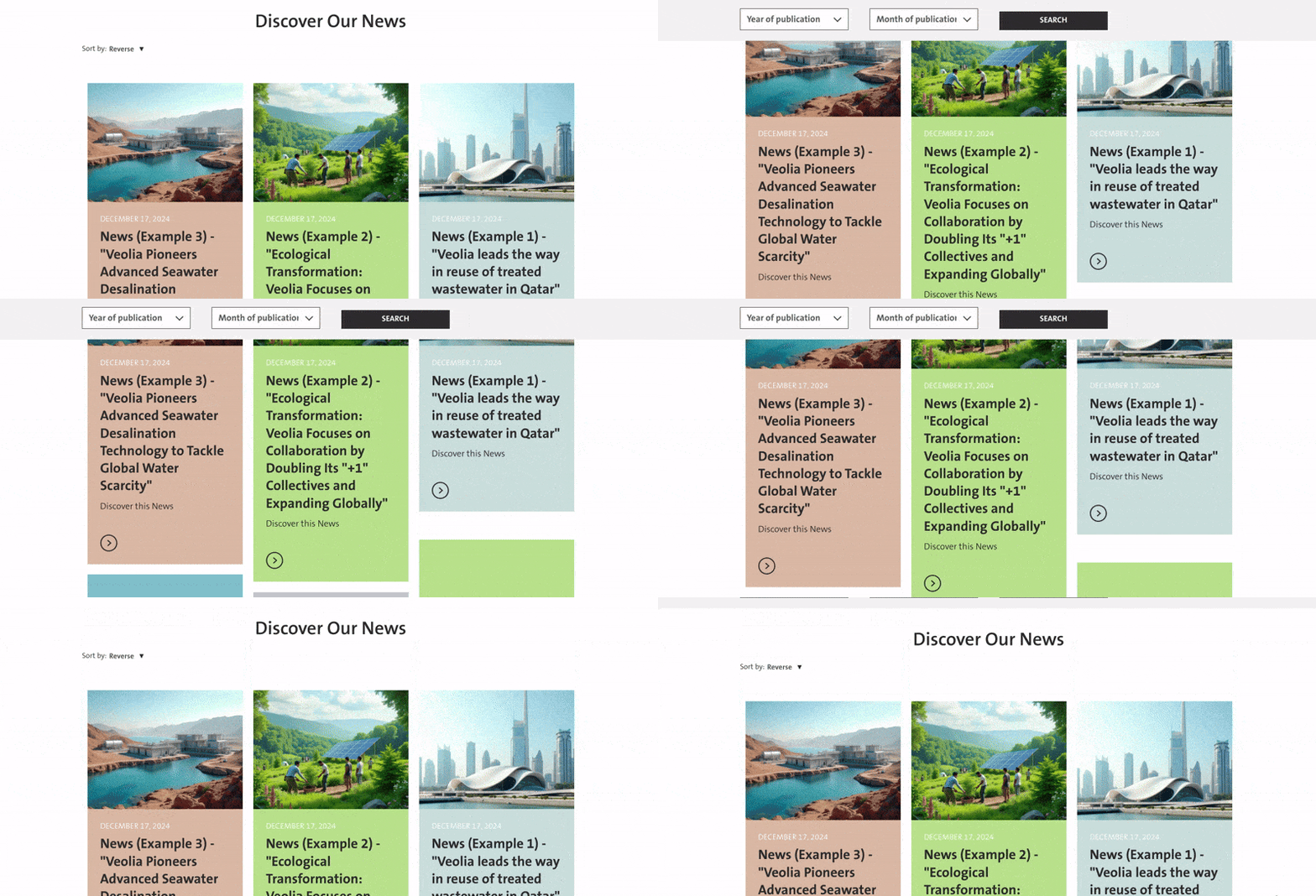
- Block: Displays news in a traditional block layout.
- New Category as Argument: Filters news by categories.
- Title Field: Add a title above the news listings (e.g., "Latest News").
- Compact Display: Enable for a horizontal layout without content push details (images and descriptions).
- Save your changes and change the status to "Published".