This procedure explains how to create a press release page for official updates and a hub page to centralize all press releases.
It involves two steps:
Step 1: create a "Press release" page
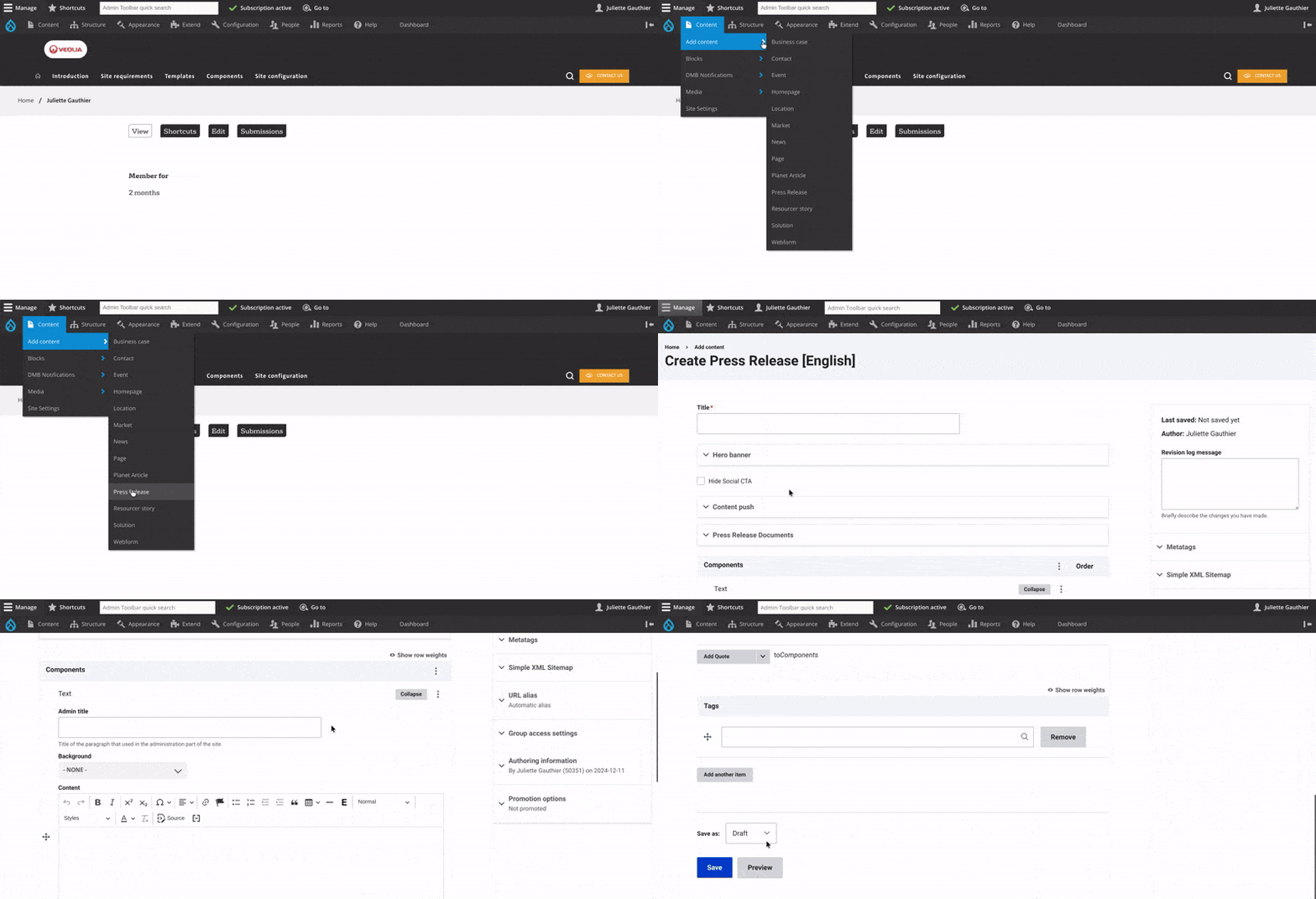

Step 2: Create a "hub page" for press releases
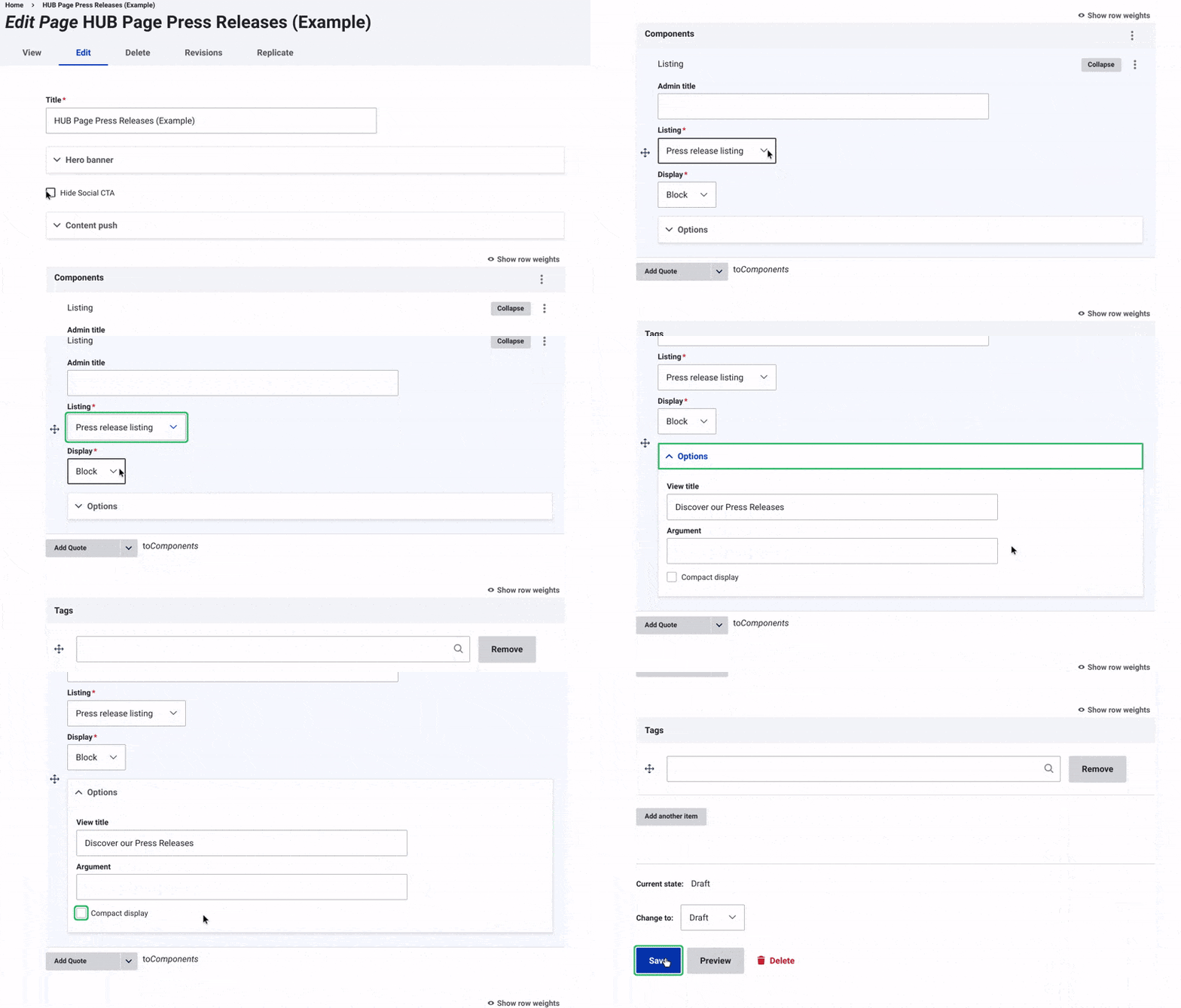
- Create "Page" Content Type
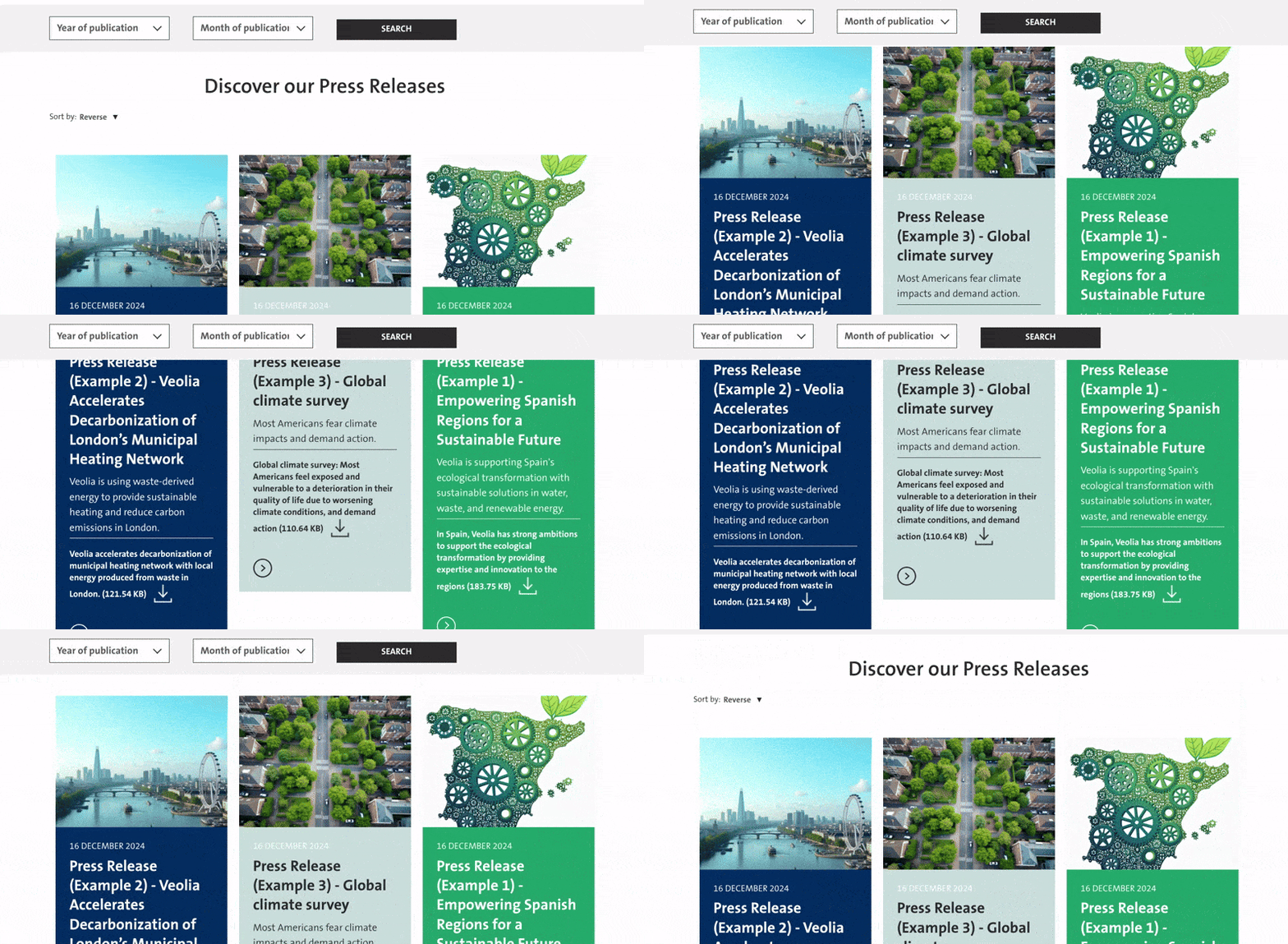
- Add the "Press Release Listing" component.
- Select Display Menu Option: In the drop-down menu, choose "Block."
- Configure Options:
- Title: Set the title to appear above all press releases.
- Compact Display: Enable "Compact Display" for a simplified format without images, titles, or descriptions.
- Save and Publish: Save changes and update the status to "Published."