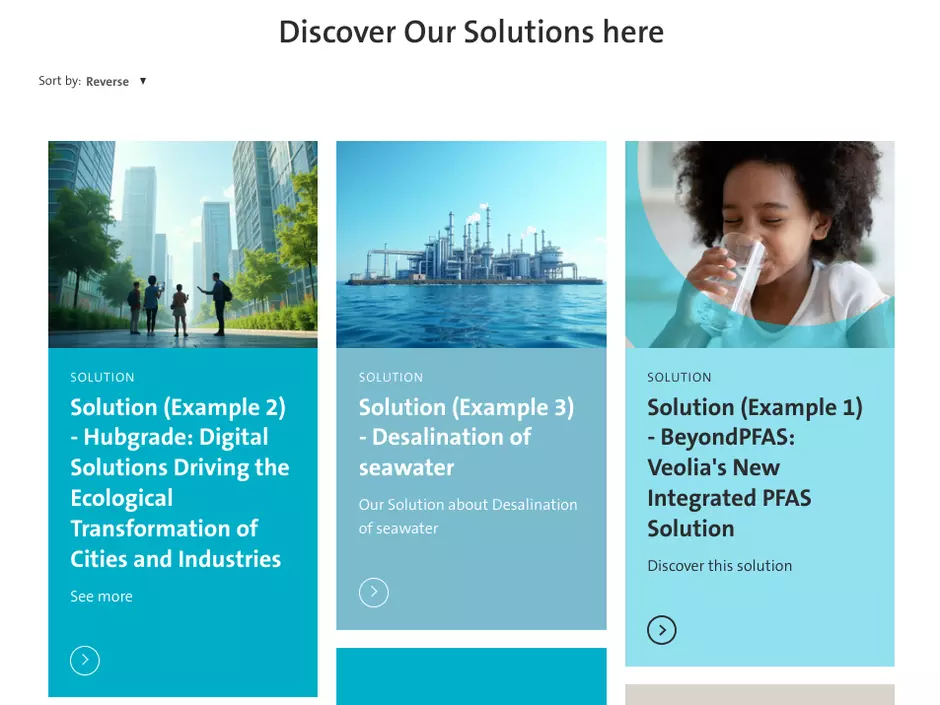
Create Solution pages and the hub page

This procedure allows you to showcase the solutions offered by the local business units.

It involves two steps:

Step 1: create a "Solution" page
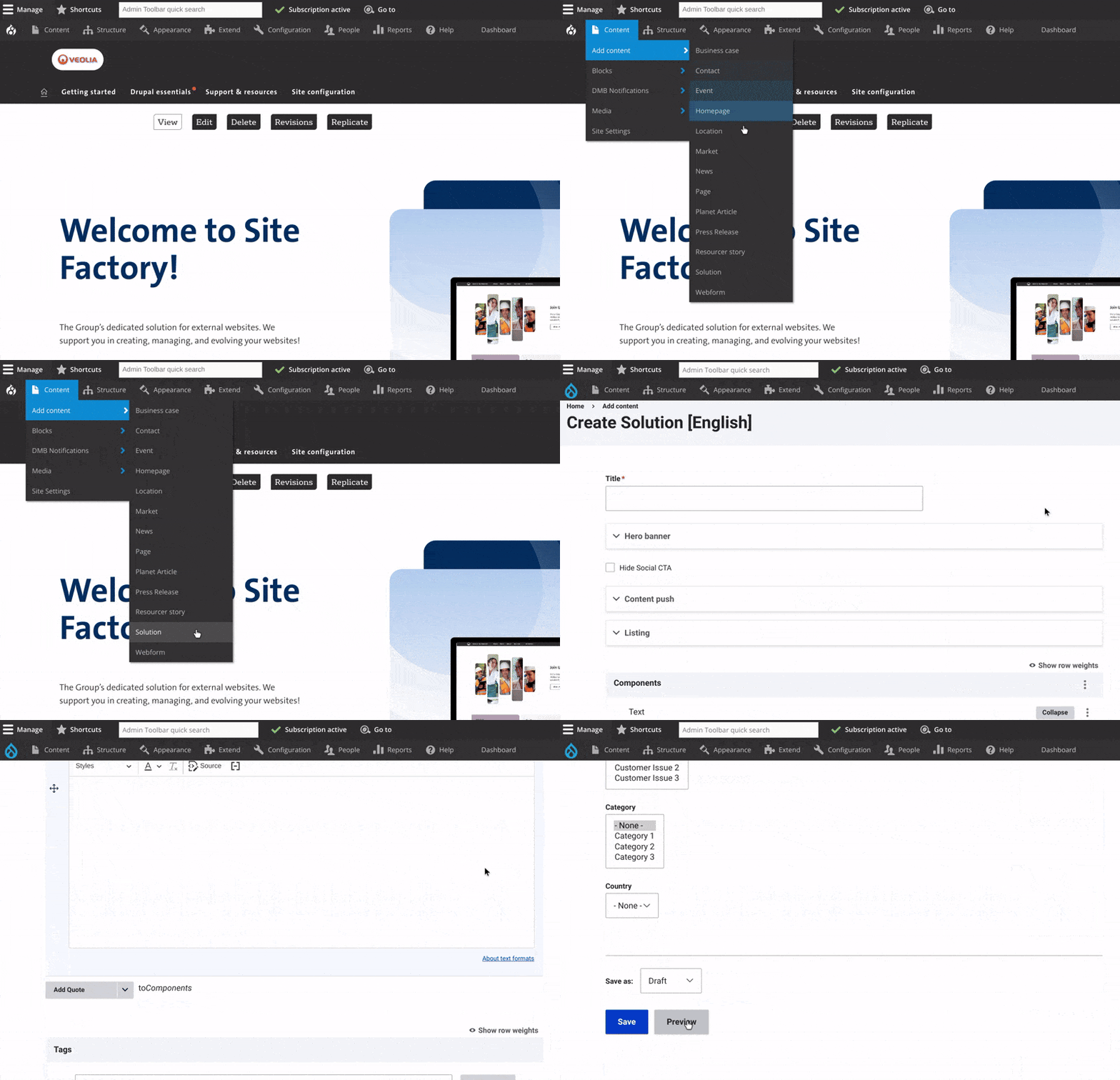
GIF create a solutions page
  • Access the Solution Page Creation Interface:
    • Click on "Content" in the admin menu. Select "Add Content" and choose "Solution."
  • Add the Solution Title
  • Customize the Hero Banner:
    • Add a Title.
    • Add an image or video at the top of the page. Include text and a CTA button if needed.
  • Set Content Push:
    • Add a title and short description to display on your hub page.
  • Add Content to the Solution Page:
    • Provide the main text of the news article. Add any relevant links, images, videos, or other media to enrich the content.
  • Add Extra Components:
    • Include blocks like a related articles section, embedded multimedia, or additional interactive elements.
  • Save Your Changes and Change the status to "Published".


Step 2: Create a "hub page" for solutions

  • Create a Page: Use the "Page" content type.


  • Add Solutions Listing Component: Choose "Solutions Listing."


  • Title Field: Add a title above the Solution listing.


  • Save the changes to publish the event hub page.
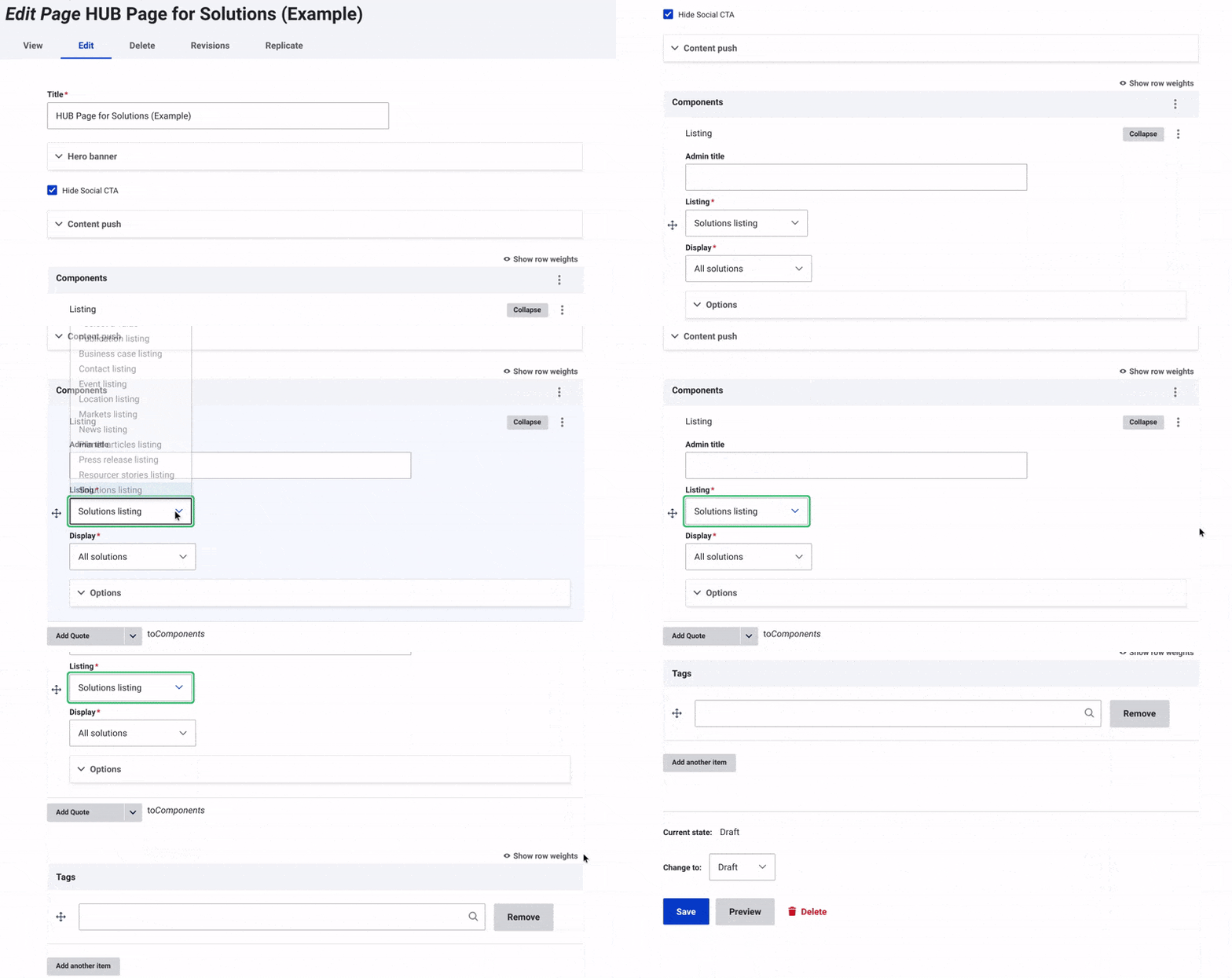
create hub page for solutions GIF


Discover Content types to Enrich Your Website Pages 


Ask for support

We use ServiceNow to track all of your requests and questions